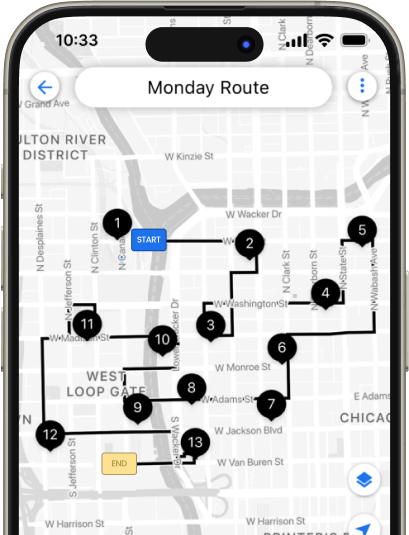





100% Capacity Utilization
and Zero Wastage with Upper
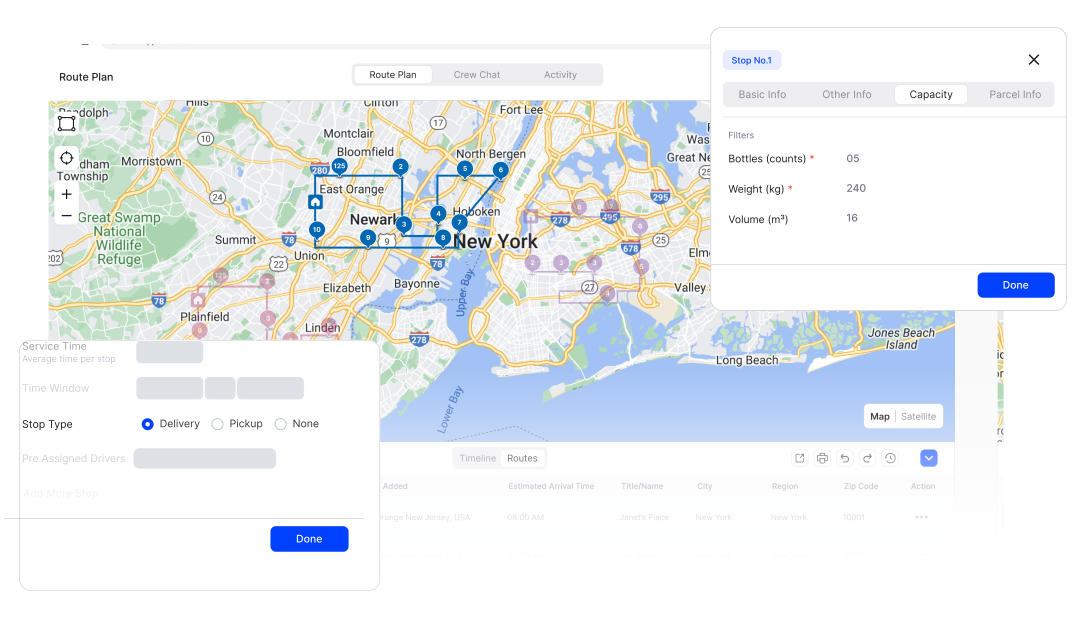
No more facing manual load planning headaches. Define vehicle capacity specifics for individual drivers to ensure they carry the maximum load with minimal trips.
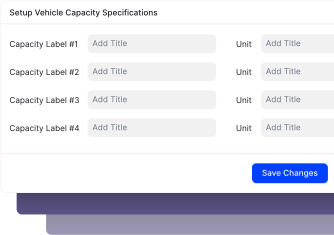
Custom capacity constraints
Define and customize capacity labels like weight, volume, and number to suit your needs.
Efficient route creation
Input box count, volume, or weight for each stop to ensure accurate load planning from the start.
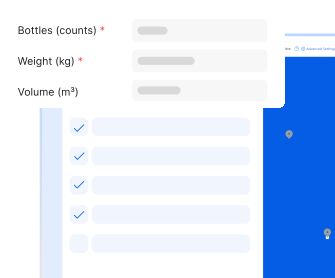
Vehicle-specific constraints
Assign capacity limits to each vehicle to prevent overloading and ensure optimal use of each vehicle’s space.
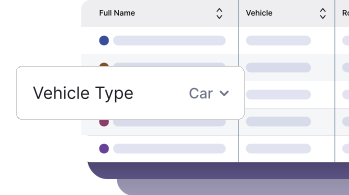
Automated route optimization
Upper auto-creates optimized routes, distributing stops among drivers based on load specifications.
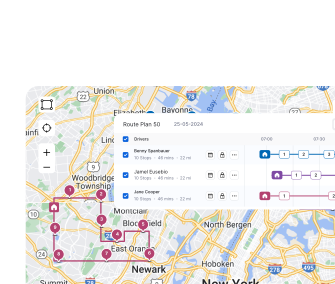
Balanced pickups & deliveries
Adjust pickups and deliveries along the same route to ensure maximum load efficiency, handle complex scenarios, and reduce empty miles.
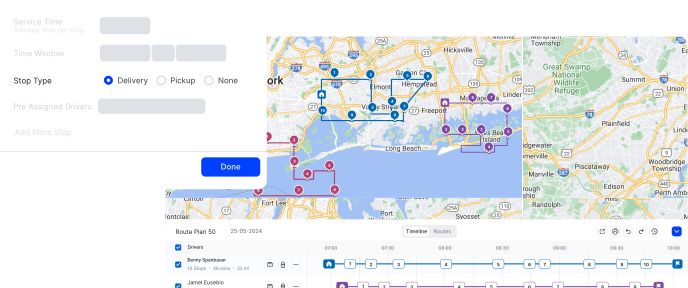

“Since using Upper’s Vehicle Capacity Optimization feature, we’re able to load our trucks to their full potential without overpacking or leaving space unused. This has drastically cut down on both trips and fuel costs.”
Sarah Lee
Operations Manager, Cross-Country LogisticsRelated articles


Frequently Asked Questions
-
How does capacity optimization work?
Capacity optimization lets you define capacity constraints for individual drivers based on their vehicle type while creating their profiles. It also allows for setting capacity specifics for delivery stops. Upper analyzes orders, vehicle capacities, and routing constraints to optimize load distribution while avoiding under/overloading, maximizing efficiency, and reducing costs.
-
How to enable vehicle capacity optimization in Upper?
To enable this feature, log in to Upper, navigate to the “Marketplace” tab, and turn on the “Vehicle Capacity Constraint” option. Once enabled, you can customize capacity fields to suit your specific needs.
-
What types of capacity limits can I set?
Upper allows you to set capacity limits for weight, volume, number of items, or any other relevant metric to suit your business needs. This flexibility allows you to accurately define your vehicle’s capacity and optimize load distribution accordingly.
-
How do I input capacity constraints for my vehicle?
When adding vehicles to your route, you’ll find a section labeled “Vehicle Capacity.” Here, you can specify constraints such as the maximum number of boxes, volume, or weight each vehicle can handle.
-
Can I optimize routes for both deliveries and pickups?
Yes, Upper’s optimization algorithms will take both deliveries and pickups into account. The system will arrange your routes to maximize vehicle space and minimize the number of trips required.
-
How do I define custom capacity labels for my business?
Go to your profile icon in the bottom-left corner, select ‘Settings,’ then ‘Capacity Fields.’ Enable or disable capacity labels, set their names and units (e.g., kg, cubic meters, liters), and choose options like ‘Is Required,’ ‘Total,’ ‘Count,’ and ‘Average.’ Click ‘Save’ at the bottom to apply your changes. Upper allows up to 5 custom capacity fields for clear and consistent operations.
Note: Upper provides you with up to 5 custom capacity fields.
-
Is it possible to define different capacity constraints for different types of vehicles?
Yes, Upper allows you to do that. You can factor in varying capacity constraints based on the type of vehicle in each fleet.
-
What happens if my vehicle’s capacity is exceeded?
If the constraints are exceeded, Upper’s optimization algorithm will alert you, and adjustments will be needed to prevent overloading. This ensures that all vehicles are used within their safe and effective limits.
-
How does capacity optimization help me reduce operational costs?
Capacity optimization helps reduce vehicle wear/tear and breakdown by reducing instances of under/overloading, which adds to repair and maintenance costs. Moreover, it lets you adjust pickups and deliveries within the same route to reduce the number of trips while optimizing payload capacity utilization, increasing cost savings.
-
How does capacity optimization help reduce environmental impact?
By avoiding under/overloading delivery vehicles, capacity optimization helps reduce fuel consumption caused by decreased engine efficiency. Helping you accommodate pickups and deliveries reduces the trips required to complete jobs, minimizing delivery distances, fuel usage, and carbon footprint.
-
Is vehicle capacity optimization available in all Upper plans?
Yes, Vehicle Capacity Optimization is available as an add-on and can be included with any of Upper’s plans. You can add this feature to your existing plan for $25 per driver.
Optimize Fleet Capacity Utilization with Upper
Analyze capacity constraints, plan routes, and ensure optimal utilization with Upper’s capacity optimization. Start Your FREE Trial TODAY!