
From Spreadsheet Chaos to
Optimized Routes in Seconds With Upper

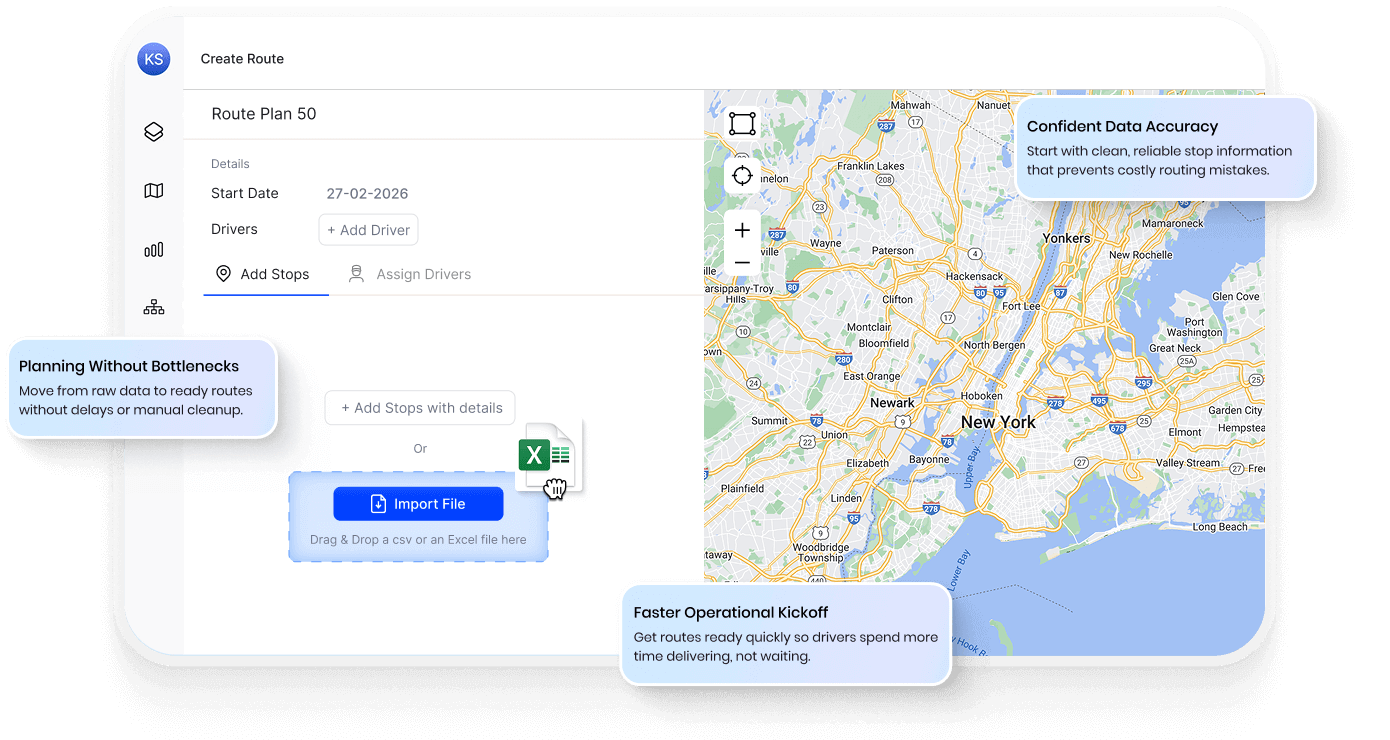
Teams That Switched Save 11+ Hours a Week on Route Planning






Every Minute Spent Reformatting Is a
Minute Your Drivers Sit Idle.
What Import
Tools Promise
-
 Upload and go
-
Smart field mapping
-
Clean address handling
-
Seamless workflow

What You Actually
Deal With
-
Reformat columns for 30 minutes first
-
Manually match fields every single time
-
Errors discovered when drivers call in
-
Juggle 3 tools before a single route goes out
Your Spreadsheet. Your Format. Dispatched
Routes in 4 Minutes With Upper.
Upper works with your spreadsheet as-is. Upload, confirm field mapping, and start building routes instantly. Address issues are flagged before optimization, and you can edit data anytime, no re-upload needed.
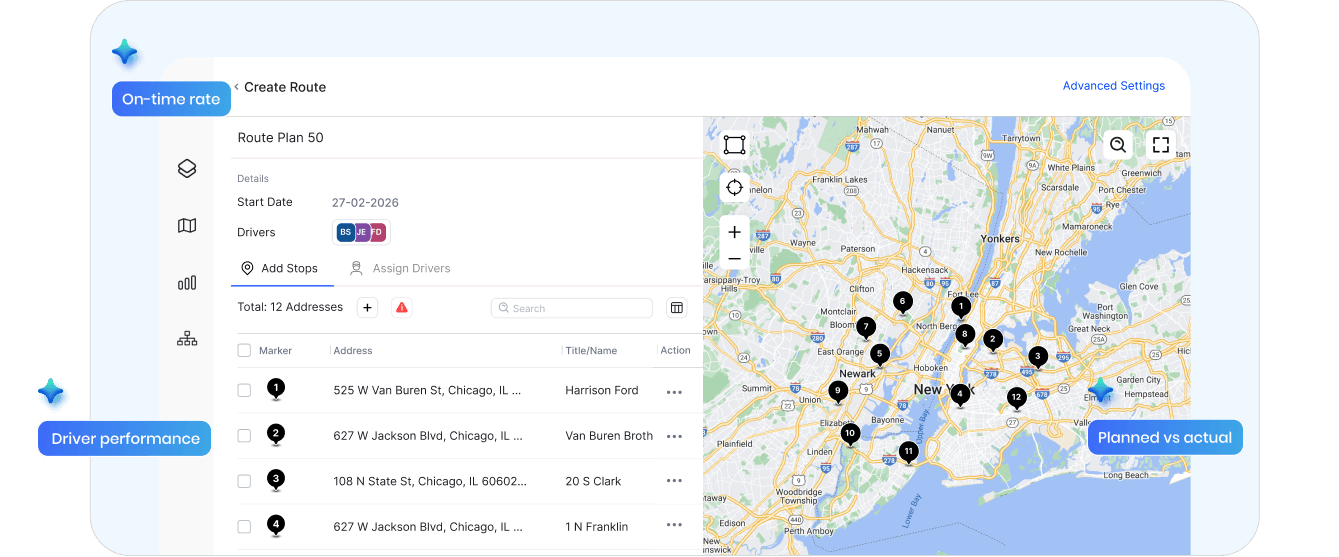
No More Prep Work
Drop your Excel or CSV exactly as your system exports it. Upper maps your columns automatically, and remembers the configuration for every future import.
Bad Addresses Caught on Import
Duplicates, missing zip codes, and unrecognized locations get flagged before a single truck leaves. Fix them in Upper, not when a driver calls at 10 AM.
Edit Anytime, No Re-Upload
Add priority flags, time windows, or delivery notes to any stop after import. Changes apply instantly, no re-uploading, no re-optimization.
What Your Morning Looks Like,
Before and After Upper
Without Upper

Reformat columns for 30+ minutes every morning
Copy-paste between spreadsheets, routing tools, and maps
Driver calls at 10 AM—address doesn’t exist
Re-upload the entire file for small fixes
First driver leaves 45–60 minutes late
Separate systems for planning and dispatch

With Upper
Import your file as-is, no reformatting
One platform from upload to dispatch
Every address validated before drivers leave
Edit any stop directly, no re-upload
First driver leaves within minutes
Import → validate → optimize → dispatch → track
Built to Eliminate Manual Dispatch Work
From bulk imports to smart validation and instant optimization, every step is built to eliminate manual work and speed up your dispatch process.
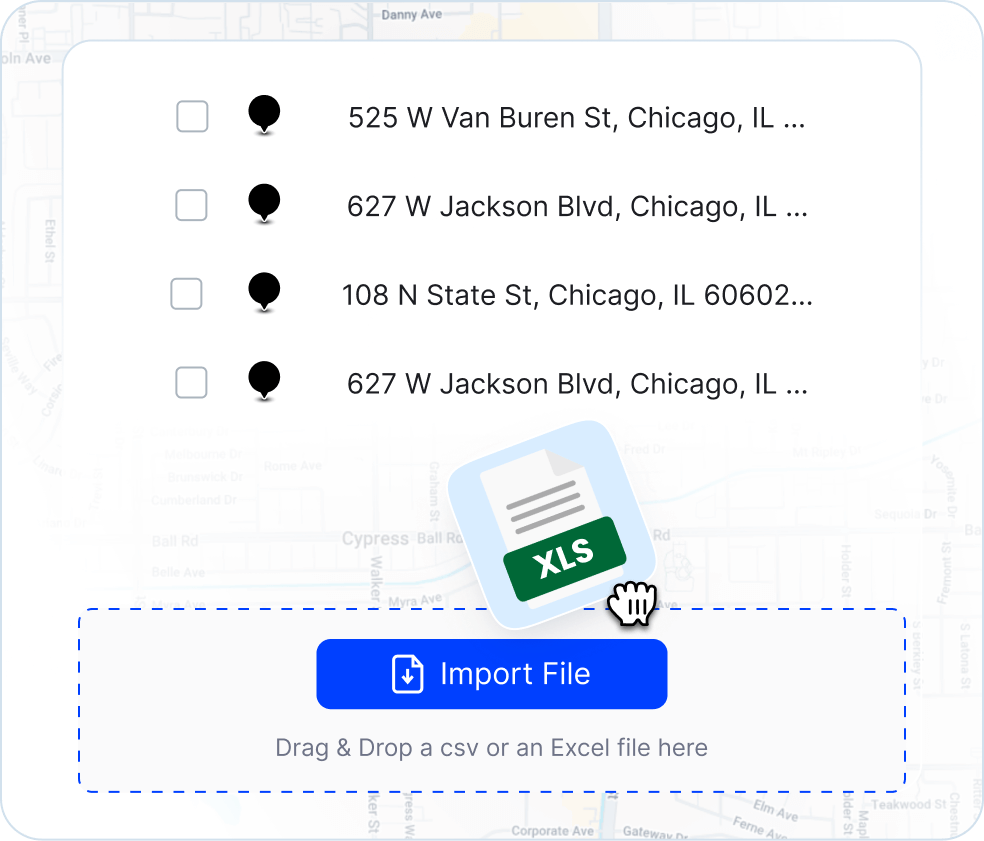
Import Hundreds of Stops in Seconds
Upload your entire delivery list—50 stops or 1,500—and Upper processes them instantly. Your spreadsheet becomes dispatch-ready routes without the manual data entry that eats your morning.
-
 Excel and CSV support
-
Bulk upload (500+ stops)
-
Instant processing
-
No file size headaches

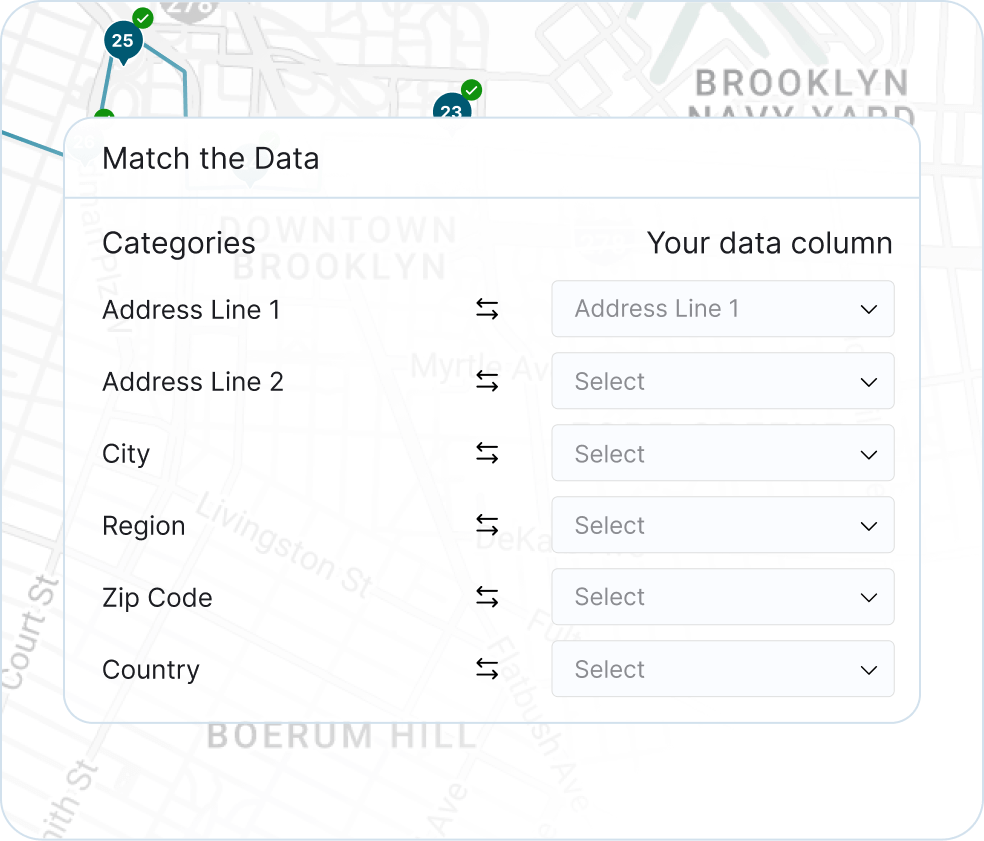
Smart Field Mapping That Remembers Your Format
Upper recognizes common column headers automatically—even imperfect ones—and saves your configuration. Tomorrow’s import from the same format? Instant. Zero manual intervention, every day, forever.
-
Automatic header recognition
-
Custom field support
-
Saved mapping preferences
-
No mandatory formatting
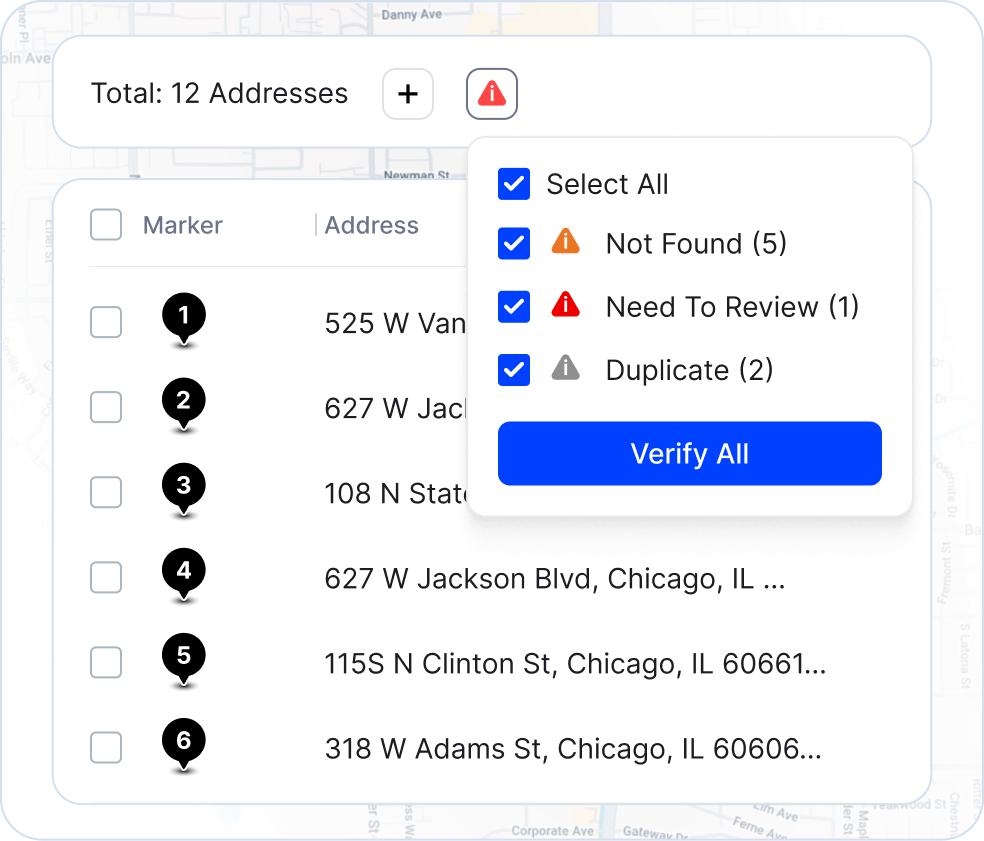
Address Validation That Catches Errors Before Drivers Do
Upper validates every address during import—not mid-route. Duplicates, incomplete entries, and unrecognized locations get flagged with a clear summary. Fix them before a single truck leaves.
-
Duplicate detection
-
Incomplete address alerts
-
Geocoding validation
-
One-click error correction
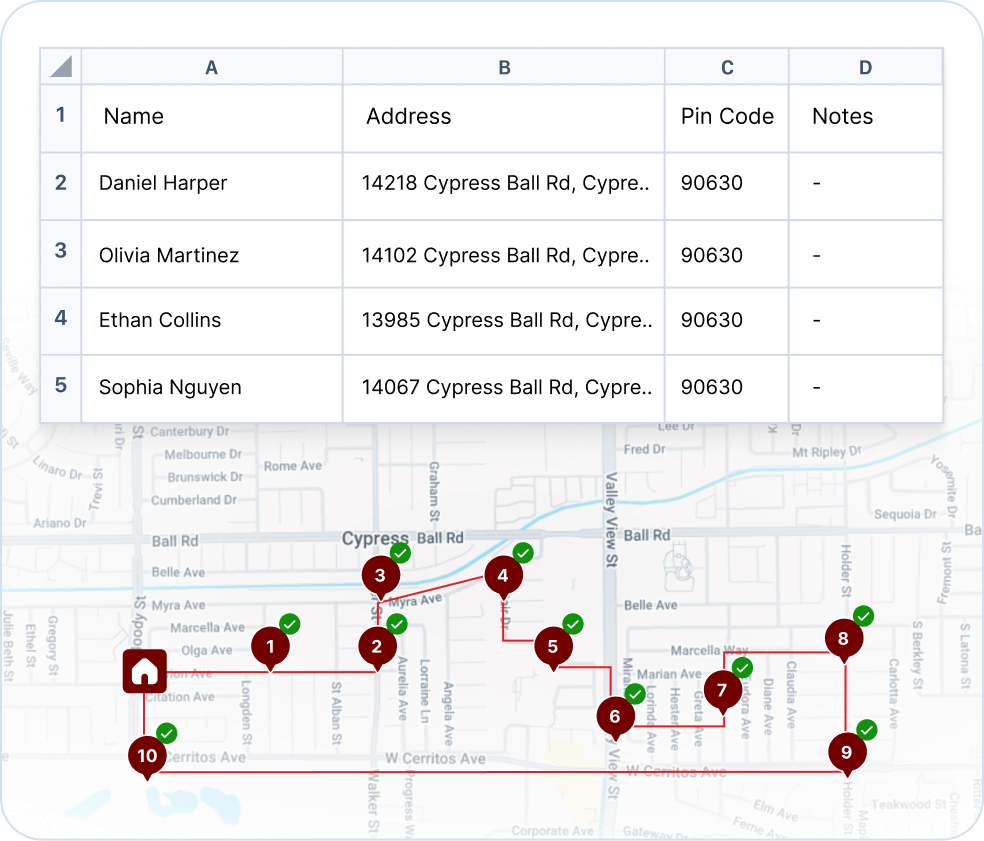
From Spreadsheet to Dispatched Routes—No Extra Steps
Imported stops flow directly into optimization, get assigned to drivers, and dispatch to their mobile apps—all from the same workflow. Connect your order management system or Google Sheets via API to skip the upload entirely.
-
Direct-to-optimization workflow
-
Automatic driver assignment
-
One-click dispatch
-
API and Zapier integration (5,000+ apps)
Your Words, Our Pride

“We used to spend 2 hours every morning planning routes in spreadsheets. Now it takes 10 minutes. Upper paid for itself in the first week.”


“What sold me was how easy it is to make changes. My schedules change a lot and I drag & drop stops and we’re back on track in 30 seconds. With our old software, that would’ve been an hour of replanning.”


“Our drivers actually follow the routes now. The app is simple, the navigation works, and they’re not calling me every 10 minutes asking where to go next.”

Frequently Asked Questions
-
What if my team isn’t very tech-savvy?
Upper is designed for dispatchers who use Excel, not software engineers. If your team can drag a file into a browser, they can use Upper. We also provide free onboarding support at no extra cost.
-
How long does it take to switch from our current process?
Most teams are up and running within a day. No migration needed—you’re importing your existing spreadsheets. Map columns once, and every subsequent import is instant.
-
We’re using Google Maps and spreadsheets now. Why switch?
If your dispatcher spends 10 hours/week on data formatting, that’s $13,000+/year on a task Upper eliminates in 4 minutes. Plus, Google Maps doesn’t validate addresses, optimize multi-driver routes, or dispatch to driver apps.
-
What file types does Upper accept?
Excel (.xlsx, .xls) and CSV formats. Drag files directly into the platform, or connect Google Sheets and other tools through our API for automated imports.
-
Does my spreadsheet need specific column names or formatting?
No rigid template required. Upper’s field mapping recognizes common headers and lets you manually assign non-standard ones. Save your preferences for faster repeat imports.
-
How many stops can I upload at once?
Hundreds of stops process in seconds. Standard limit is 500 per file. For thousands of daily stops, API integration provides automated data transfer without file size concerns.
-
What happens when Upper finds address errors?
Invalid, duplicate, or incomplete addresses get flagged during import with a clear summary. Fix issues directly in Upper without re-uploading.
-
Can I modify stop details after importing?
Yes. Add or change priority levels, delivery notes, time windows, service durations, and custom fields for any stop after upload.
-
Can I combine imported stops with manually added ones?
Yes. Both methods work together in the same route without restrictions.
-
Does importing connect directly to route optimization?
Yes. Uploaded stops flow immediately into Upper’s optimization engine for sequencing, driver assignment, and dispatch—all within the same workflow.
-
Can I automate daily imports from other systems?
Upper’s API and Zapier connector support automated imports from order management platforms, Google Sheets, and custom systems.
-
Why would my spreadsheet import fail?
Common causes include unsupported file formats, corrupted files, or missing address columns. Upper’s error log identifies specific issues. Our support team resolves most import problems in under 5 minutes.
Your Drivers Should Be Delivering, Not Waiting in the Parking Lot
Import your actual spreadsheet. See your routes optimized. Dispatch your drivers. All in the first 10 minutes of your free trial with Upper