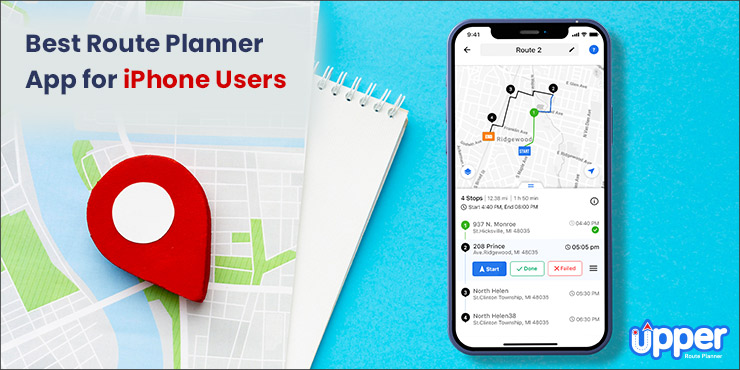
 Key Takeaways:
- Upper leads with complete delivery solutions for teams and solo drivers with 500+ stop capacity.
- Free options available: Apple Maps (15 stops), Circuit (spoke.com) (10 stops), Route4Me (10 stops).
- Route optimization saves 20-30% on fuel costs and 8+ hours weekly on planning.
- iPhone-specific features include offline maps, voice navigation, and Apple ecosystem integration.
- Testing methodology evaluated 20+ apps across real-world delivery scenarios in 5 major cities.
Do you know?
Most delivery drivers or sales reps rely on basic navigation apps like Apple Maps or Google Maps.
The Challenge
These apps work perfectly for single destinations but fall short when you need to visit multiple locations efficiently.
They can’t optimize your stop sequence, calculate the most fuel-efficient routes, or help you avoid unnecessary backtracking that costs time and money.
The Solution
A dedicated best route planner app for iPhone that goes beyond simple navigation to deliver true route optimization.
The Question
How do you choose one?
Well, we will help you with that!
Read this blog until the end, as we discuss:
- The difference between route planners and navigation apps
- iPhone Route Planning Guide
- Best Route Planning Apps
- Free vs. Paid Comparison
- Use Case Guide
- iPhone Tips and Best Practices
Table of Contents
- Route Planners vs. Navigation Apps: A Comparison
- iPhone Route Planning Guide
- Capabilities and Limitations of Apple Maps
- How Do We Test Route Planning Apps for iPhone?
- 6 Best Route Planning Apps for iPhone
- Free vs Paid Route Planning Apps
- Use Case Guide
- Route Planning Tips & Best Practices
- Common Problems and Solutions with Route Planners
- FAQs
Route Planners vs. Navigation Apps: A Comparison
Understanding the distinction between navigation and route planning apps is crucial for choosing the right tool for your needs.
Navigation Apps
Navigation apps are software applications that get you from Point A to Point B quickly. Some examples of navigation apps include Google Maps and Apple Maps.
These tools — each competing to be the best map app for iPhone — provide turn-by-turn directions, real-time traffic updates, voice navigation, and basic multi-stop routing (limited functionality).
When to use: Single destinations, simple errands, basic navigation needs.
Route Planner Apps
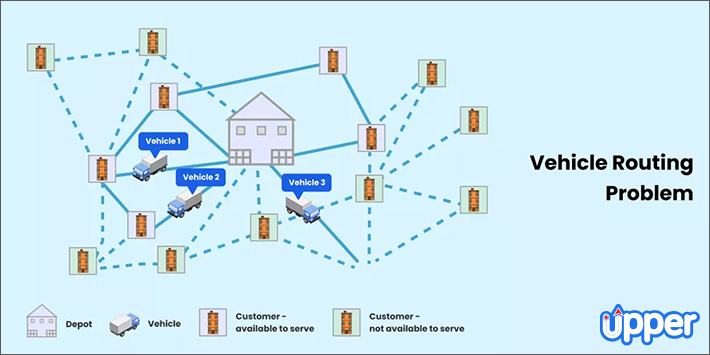
Route planners calculate the most time- and cost-effective journey across multiple locations. They offer:
- Multi-stop optimization (10-500+ stops)
- Delivery time windows and priority scheduling
- Proof of delivery features
- Team management capabilities
- Cost analysis and reporting
When to use: Delivery operations, sales routes, service calls, complex road trips.
Decision Framework
- 1-15 stops: Use Apple Maps or Google Maps
- 15+ stops: Use route planners, whether solo, teams, or enterprise
iPhone Route Planning Guide
Does iPhone Maps Have a Route Planner?
Yes, Apple Maps includes a basic route planning feature, but it has certain limitations:
- Maximum 15 stops per route
- No route optimization – stops visited in order added
- No delivery features like proof of delivery
- Limited customization options
How to Create a Route on Apple Maps?
- Open the Apple Maps app
- Search for your first destination in the search bar
- Tap “Directions”
- Add your final destination
- Tap “Go” to start navigation
Creating Routes with Multiple Stops
- Start by creating your route
- Add destinations one by one
- Drag stops to reorder manually
- Once done, hit ‘Go’ to start your journey
Using Route Planner Apps (15+ stops):
- Open a route planner app
- Add start and end locations
- Import addresses via spreadsheet or manual entry
- Tap the optimize route to create an optimal path
- Review the route, customize it, and update as needed
- Finally, export to the preferred navigation app
Can You Draw a Route on iPhone Maps?
Yes, you can draw a route on iPhone Maps. The iOS 18 version allows you to create a walking or hiking route where you have to add your start and end point, and include waypoints in between to create a custom path.
Capabilities and Limitations of Apple Maps
Apple Maps Strengths
- Native iOS integration – Seamless iPhone experience
- Siri voice commands – “Hey Siri, add a stop”
- CarPlay compatibility – Dashboard integration
- Offline maps – Works without an internet connection
- Privacy focus – It does not track location or store search history
- User-friendly interface – Clean, minimal, and intuitive interface
Apple Maps Limitations
- 15-stop maximum – Insufficient for business use
- No route optimization – Manual stop reordering required
- Limited customization – No delivery time windows
- No business features – No proof of delivery or team management
How Do We Test Route Planning Apps for iPhone?
Our testing methodology ensures an objective, real-world evaluation of route planning apps. We tested 20+ route planning apps using standardized criteria across 50+ real-world delivery scenarios.
Testing Criteria
- Route Quality: Efficiency compared to manual planning
- Speed: Time to optimize 50+ stops
- Ease of Use: Interface design and learning curve
- iPhone Integration: iOS-specific features and performance
- Reliability: Consistency across different scenarios
Testing Process
- Real-World Scenarios: Delivery routes, sales calls, and road trips
- Device Specifications: iPhone 14 Pro, iPhone 12, and tested across iOS 17.2 and 18.5
- Time Period: 3-month comprehensive testing (April-June 2025)
This independent testing process ensures our recommendations are based on actual performance, not marketing claims.
While Upper is included in the list, the evaluation remains unbiased and grounded in real-world conditions using standardized benchmarks.
Now that you know how we test the apps, let’s dive straight into recommendations.
6 Best Route Planning Apps for iPhone
1. Upper
- Best for: Teams, solo drivers, delivery operations
- Standout feature: AI route optimization with proof of delivery
Upper transforms route planning from a time-consuming task into an automated process.
Whether you’re managing a delivery team or working solo, Upper provides the features needed for efficient route optimization.
It comes with a clean interface and seamless functionalities that are accessible across the web, Android, and iOS.
The best part is that Upper also has a Chrome Extension.
Upper Crew: Team Management Solution
Upper Crew addresses the complex needs of delivery teams with comprehensive management features:
Key Features:
- Intelligent Route Optimization: Considers time windows, vehicle capacity, and traffic patterns
- Real-Time Driver Tracking: Monitor team location and progress from iPhone
- Automated Customer Communication: SMS/email updates with delivery ETAs
- Digital Proof of Delivery: Signatures, photos, and notes captured on mobile
- Route Assignment: Distribute optimized routes to drivers instantly
Testing Results: Reduced planning time by 85% and improved delivery completion rates by 23% across our test scenarios.
Upper Solo: Individual Driver Solution
Upper Solo is perfect for independent drivers who need powerful route optimization without team complexity:
Key Features:
- Quick Address Import: Spreadsheet upload or photo manifest scanning
- Real-Time Route Adjustments: Modify routes on the go
- Navigation Integration: Works with Google Maps, Apple Maps, and Waze
- Delivery Documentation: Digital signatures and photo proof
- Performance Analytics: Track delivery times and efficiency metrics
Testing Results: Solo drivers completed 31% more deliveries per day using Upper’s optimization compared to manual planning.
User Rating: 4.5/5 (1.6k reviews)
Pricing:
- Upper Crew: $40/user/month (7-day free trial)
- Upper Solo: $4.99/week (3-day free trial)
- Free plan: Up to 10 stops per route
Pros:
- Comprehensive delivery management features
- Seamless iPhone and web integration
- Handles 500+ stops efficiently
- Excellent customer support
- Proven ROI for businesses
Cons:
- Requires an internet connection for optimization
- Advanced features are limited to paid plans
2. Route4Me
- Best for: Business-focused route planning
- Standout feature: Voice navigation integration
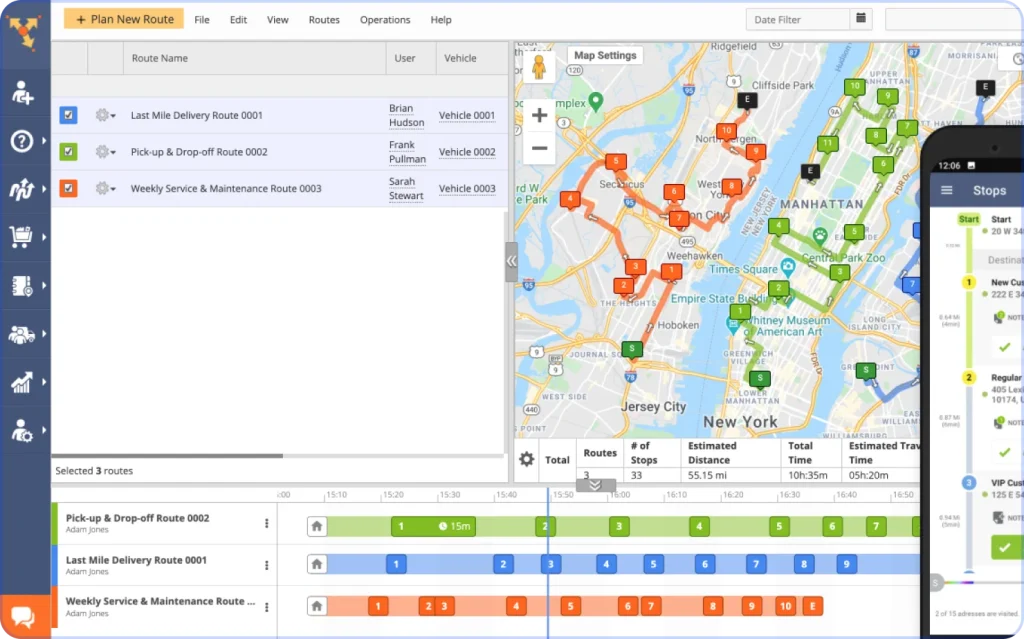
Route4Me provides solid route optimization with business-oriented features, though it lacks some of the advanced delivery management capabilities found in Upper.
Key Features:
- Multiple Input Methods: Voice, spreadsheet, QR code, and manual entry
- Recurring Routes: Save and reuse regular delivery schedules
- Basic Customization: Round-trip options and stop locking
- Navigation Integration: Works with major navigation apps
- Real-Time Updates: Modify routes during execution
Testing Results: Effective for straightforward multi-stop routing, but slower optimization speed compared to Upper.
User Rating: 4.6/5 (11.3k reviews)
Pricing:
- Paid plans: $60/user/month
- Free plan: 10 stops per route
- Free trial: 7-day
Pros:
- Multiple address input options
- Solid basic optimization
- Good navigation app integration
- Established user base
Cons:
- No built-in navigation
- Limited proof of delivery features
- Slower route optimization
3. Circuit (spoke.com)
- Best for: Independent delivery drivers, food delivery
- Standout feature: Package finder and time windows
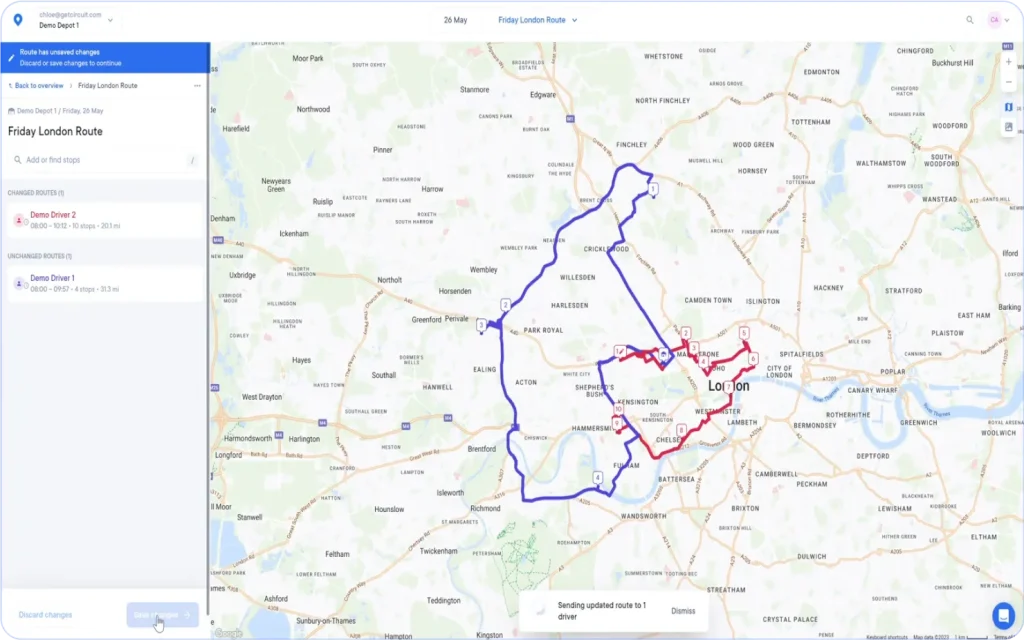
Circuit (spoke.com) focuses on simplicity and speed, making it popular among delivery drivers who need quick route optimization without complex features.
Key Features:
- Voice Input: Add stops using voice commands
- Camera Scanning: Scan addresses with the iPhone camera
- Time Windows: Set specific delivery time requirements
- Package Finder: Locate specific packages in the vehicle
- Real-Time Optimization: Adjust routes on the go
Testing Results: Fastest initial setup time, but limited customization options compared to Upper.
User Rating: 4.7/5 (8.3k reviews)
Pricing:
- Paid plan: $100/month
- Free plan: 10 stops per route
- Free trial: 7-day
Pros:
- Intuitive interface design
- Fast route optimization
- Good time window management
- Package organization features
Cons:
- No spreadsheet import on iOS
- Limited team management features
- No built-in navigation
4. Zeo
- Best for: Small delivery businesses, local services
- Standout feature: Live customer tracking and ETA sharing
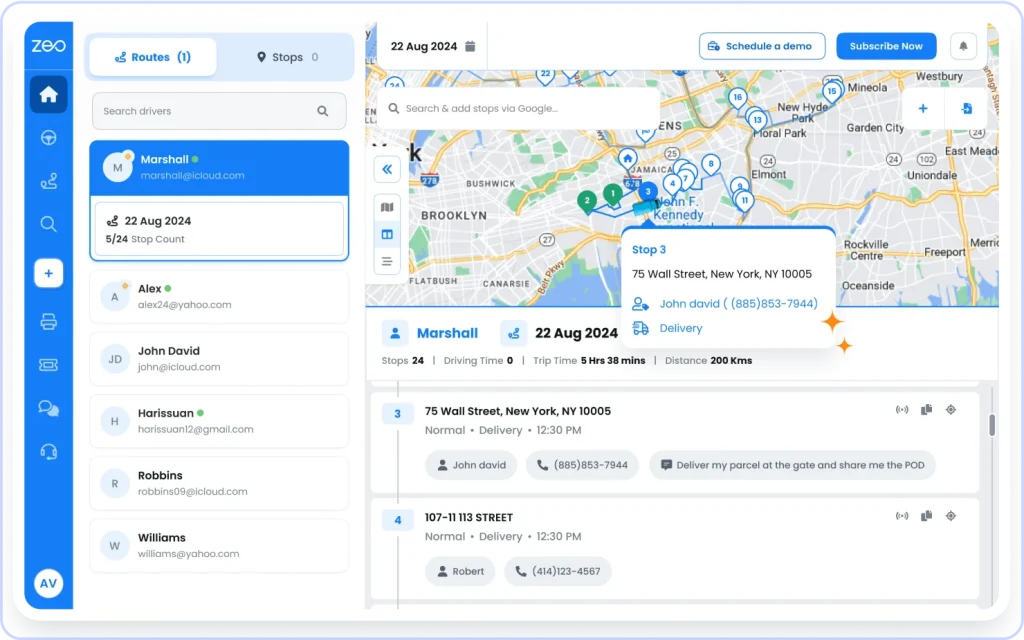
Zeo provides a balance of features for small businesses, though it doesn’t match Upper’s comprehensive delivery management capabilities.
Key Features:
- Manifest Scanning: Extract addresses from printed documents
- Live Customer Updates: Share real-time delivery status
- Digital Proof of Delivery: Signatures and photos
- Driver Tracking: Monitor team locations
- ETA Sharing: Automated customer notifications
Testing Results: Good for small operations, but struggles with larger route optimization.
User Rating: 4.5/5 (315 reviews)
Pricing:
- Paid plan: $35/month
- Free plan: 15 stops per route
- Free trial: 7-day
Pros:
- Strong customer communication features
- Good proof of delivery system
- Affordable pricing
- Multiple navigation options
Cons:
- Limited scalability for larger operations
- Requires internet for most features
- Smaller user community
5. RoadWarrior
- Best for: delivery drivers and sales reps
- Standout feature: Driver-centric route optimization and real-time adjustments
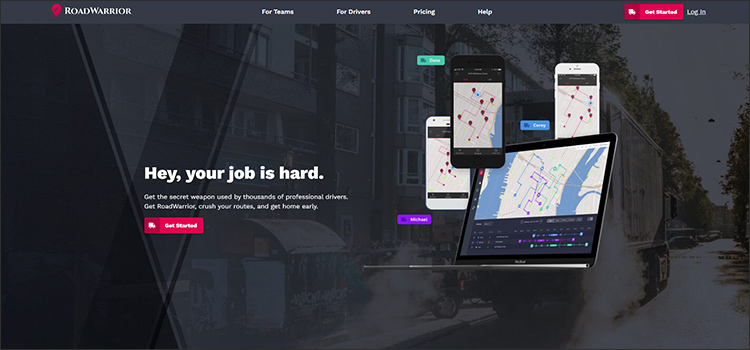
RoadWarrior is built for sales reps, field technicians, and solo delivery drivers who manage their schedules and require efficient, customizable routing for appointments, service calls, or small-scale deliveries.
Key Features:
- Priority Scheduling: Set importance levels for stops
- Time Windows: Plan around specific delivery or appointment times
- FedEx Integration: Import shipping manifests
- Traffic Optimization: Real-time traffic consideration
- Route Adjustments: Drag-and-drop stops on the go
Testing Results: Great for sales and service visits, but lacks robust delivery management tools like proof of delivery, dispatching, or bulk route assignment
User Rating: 4.7/5 (6.6k reviews)
Pricing:
- Paid plan: $14.99/month
- Free plan: 8 stops per route
- Free trial: 7-day
Pros:
- Excellent for sales reps and delivery drivers
- Strong priority and scheduling features
- Good traffic optimization
- FedEx integration
Cons:
- Higher pricing than competitors
- Limited delivery management features
- Basic interface design
6. Roadtrippers
- Best for: Road trips, RV travel, leisure travel
- Standout feature: Scenic route discovery and campground reviews
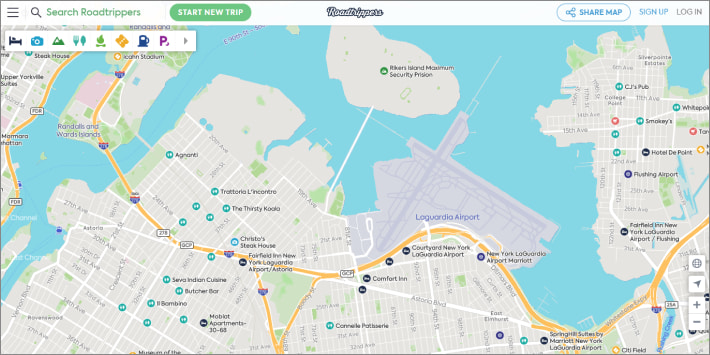
Roadtrippers specializes in leisure travel and road trip planning, making it ideal for vacation planning but unsuitable for business delivery operations.
Key Features:
- Autopilot AI: Intelligent trip planning suggestions
- Campground Reviews: Detailed RV park information
- Scenic Routes: Discover beautiful driving paths
- Offline Maps: Navigate without an internet connection
- Trip Collaboration: Share plans with travel companions
Testing Results: Excellent for leisure travel but not applicable for business delivery use cases.
User Rating: 4.6/5 (60.2k reviews)
Pricing:
- Paid plan: $35.99/year
- Free plan: 7 stops, 3 saved trips
- Free trial: 7-day
Pros:
- AI-powered trip suggestions
- Comprehensive travel database
- RV-specific features
- Cross-device synchronization
Cons:
- Limited to leisure travel
- No business or delivery features
- Geographic limitation (US/Canada only)
Free vs Paid Route Planning Apps
Free App Limitations
Most free route planning apps provide basic functionality with significant restrictions:
Typical Free Limitations:
- Stop Limits: 1-15 stops maximum
- No Optimization: Basic routing without efficient algorithms for route optimization
- Limited Features: No proof of delivery, team management, or analytics
- Basic Support: Email-only customer service
- Advertisements: Interrupting user experience
When to Upgrade to Paid Plans?
Consider upgrading when you need:
- More than 15 stops per route
- Advanced optimization algorithms
- Business features like proof of delivery
- Team management capabilities
- Priority customer support
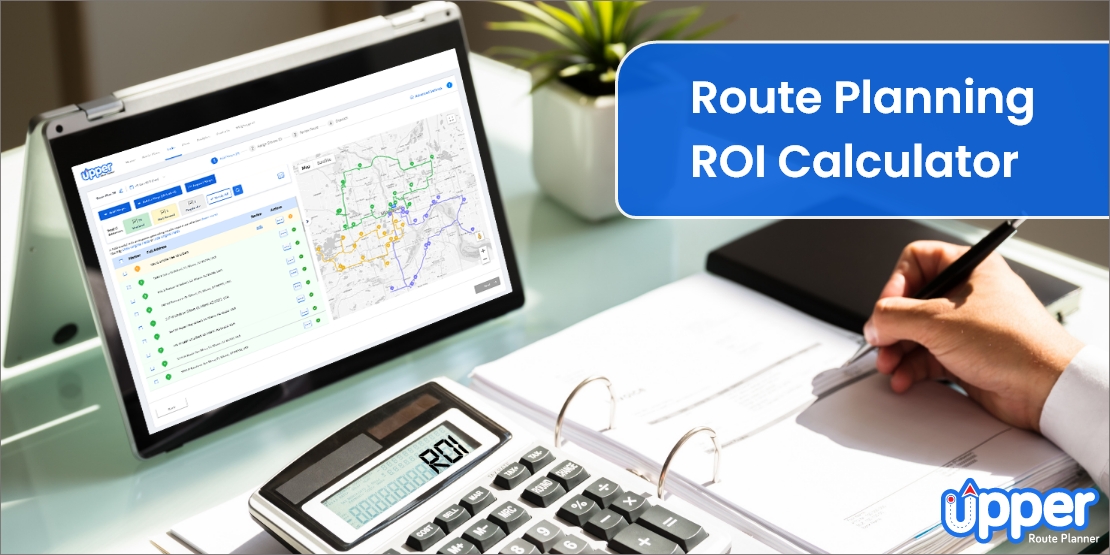
ROI Calculator for Route Planning Apps
Imagine you run a small delivery business with:
- 5 drivers
- Each driver makes 25 stops a day
- You spend about 30 minutes per route planning manually
- Your drivers earn $20/hour
- You operate 22 days a month
Now, let’s say you start using Upper, which helps you cut planning time by 90% and also saves about 10% in fuel.
Here’s what progress looks like:
Time Saved:
- 30 minutes × 90% = 27 minutes saved per route
- 27 min × 5 drivers × 22 days = 49.5 hours saved/month
Labor Cost Saved:
- 49.5 hours × $20/hour = $990/month
Fuel Savings (10% of $15/day per driver):
- $1.50/day × 5 drivers × 22 days = $165/month
Total Monthly Savings:
- $990 (labor) + $165 (fuel) = $1,155/month
Cost of Upper:
Starting from around $40/month
Your ROI:
You spend $40/month and save $427.50 every week, that’s over $1,700/month in value, giving you a 43X return on investment.
Use Case Guide
Delivery Driver
Recommended: Upper Solo, Circuit (spoke.com), Zeo
Essential Features:
- Proof of delivery capabilities
- Real-time route adjustments
- Customer communication tools
- Navigation app integration
Best Choice: Upper Solo – Built specifically for delivery drivers with comprehensive delivery features like digital proof of delivery and real-time optimization.
Road Trip Planning
Recommended: Roadtrippers
Essential Features:
- Scenic route discovery
- Campground/hotel integration
- Offline map access
- Trip collaboration tools
Best Choice: Roadtrippers – Specialized for leisure travel with AI-powered suggestions and a travel database.
Business Fleet Management
Recommended: Upper Crew, Route4Me
Essential Features:
- Driver tracking and management
- Route assignment and dispatch
- Performance analytics
- Customer communication automation
Best Choice: Upper Crew – Complete fleet management solution with real-time tracking and delivery management for delivery teams.
Sales Representative Route Planning
Recommended: RoadWarrior
Essential Features:
- Priority scheduling
- Time window management
- CRM integration
- Quick route optimization
Best Choice: RoadWarrior – Designed specifically for sales and service routes with priority management.
Route Planning Tips & Best Practices
Battery Optimization for GPS Usage
- Enable low power mode during long routing sessions
- Use airplane mode when planning routes offline
- Close unnecessary apps to preserve battery
- Carry a portable charger for extended delivery days
Offline Planning Strategies
- Download offline maps before starting routes
- Save frequently used routes in your preferred app
- Screenshot important route information as backup
- Use voice navigation to minimize screen time
Integration with Other iPhone Apps
- Calendar integration: Schedule delivery appointments
- Contacts sync: Quick access to customer information
- Messages: Send delivery updates to customers
- Camera: Document proof of delivery
Voice Navigation Best Practices
- Test voice commands before starting routes
- Adjust volume settings for clear audio
- Use hands-free mounting for safety
- Enable voice confirmations for stop completions
Common Problems and Solutions with Route Planners
Problem 1: GPS accuracy issues
Solution 1: Restart iPhone, check location services, and update iOS
Problem 2: Route optimization takes too long
Solution 2: Reduce stop count, check internet connection, close other apps
Problem 3: Navigation app integration fails
Solution 3: Update both apps, restart iPhone, and check permissions
Frequently Asked Questions
For basic navigation, Apple Maps and Google Maps are excellent choices. If you seek multi-stop routes with optimization, Upper provides the most comprehensive solution with delivery features and team management capabilities.
Yes, route planning apps typically provide significant ROI:
- Time savings: 8+ hours weekly saved on planning
- Fuel reduction: 20-30% decrease in driving distance
- Productivity increase: 31% more deliveries completed
- Customer satisfaction: Improved delivery accuracy and communication
Here’s a list of the best route planner apps for delivery drivers:
- Upper
- Circuit (spoke.com)
- Route4Me
Below are the essential features that you should look for in a route planner app:
- Multi-stop optimization (15+ stops)
- Real-time adjustments during routes
- Navigation integration with preferred apps
- Proof of delivery for business use
- Performance tracking and analytics
- Customer communication tools
Yes, there are a lot of options for the best route planner on iPhone that offer team management to manage crews effectively.