The grocery industry has rapidly shifted toward on-demand delivery, with customers expecting fast, accurate, and convenient service from their favorite stores. Managing these growing expectations manually is nearly impossible for modern grocery businesses handling high order volumes, multiple delivery windows, driver coordination, and real-time customer updates. That’s where grocery delivery software becomes essential.
Grocery delivery software helps businesses streamline every stage of the delivery process, from order management and route optimization to driver tracking and proof of delivery. With the right platform, grocery retailers can reduce delivery delays, improve operational efficiency, lower fuel costs, and create a better customer experience at scale.
In this guide, we’ll explore what grocery delivery software is, the key features to look for, the benefits it offers, and the best grocery delivery software solutions available for businesses.
Table of Contents
- What Is Grocery Delivery Software
- Why Grocery Businesses Need Delivery Software
- Key Capabilities Every Grocery Delivery Software Should Have
- Top 5 Grocery Delivery Software Solutions Compared
- How to Implement Grocery Delivery Software
- Common Grocery Delivery Challenges and How to Overcome Them
- How to Choose the Right Grocery Delivery Software
- Turn Your Grocery Delivery Fleet Into a Competitive Advantage
- FAQs on Grocery Delivery Software
What Is Grocery Delivery Software
Grocery delivery software is a platform that manages the end-to-end workflow of receiving, routing, dispatching, delivering, and confirming grocery orders. Unlike generic delivery management tools, grocery delivery software is designed around the unique demands of perishable goods, including freshness windows, multi-temperature loads, tight delivery slots, and high daily order volume.
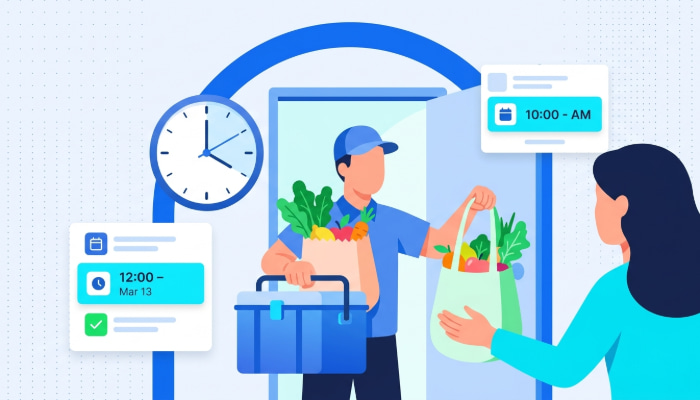
For example, a regional grocery chain running 30 daily delivery routes needs software that factors in which orders contain frozen items, which customers booked a 10 a.m. to 12 p.m. window, and which driver has a refrigerated vehicle available.
Standard routing tools treat every stop the same. Grocery delivery management software treats every stop based on what is being delivered, when it needs to arrive, and how it needs to get there.
How Grocery Delivery Software Works
The operational pipeline follows a clear sequence:
- Orders come in from your e-commerce platform, POS system, or phone
- Software validates addresses and organizes stops by delivery window
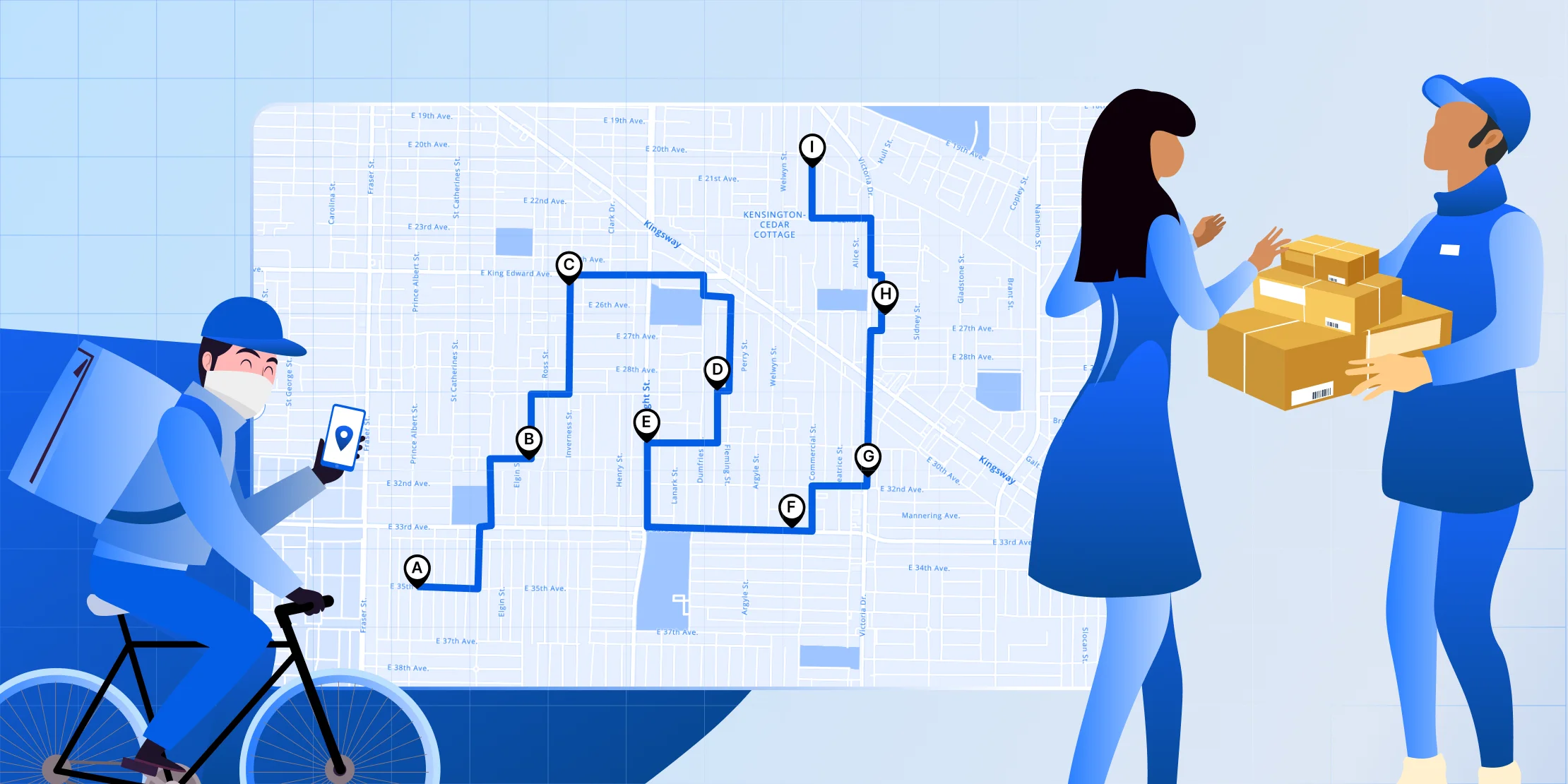
- The route optimization engine sequences stops, factoring in grocery delivery time windows, traffic patterns, and driver capacity
- Optimized routes are dispatched to drivers via a mobile app
- Drivers follow turn-by-turn navigation and capture proof of delivery at each stop
- Customers receive automated ETA notifications and delivery confirmations
- An analytics dashboard tracks on-time rates, spoilage incidents, and route efficiency
This workflow replaces hours of manual planning with a system that accounts for the specific constraints grocery delivery operations face every day. With these fundamentals in place, the next question is why grocery businesses specifically need this technology instead of general delivery tools.
Why Grocery Businesses Need Delivery Software
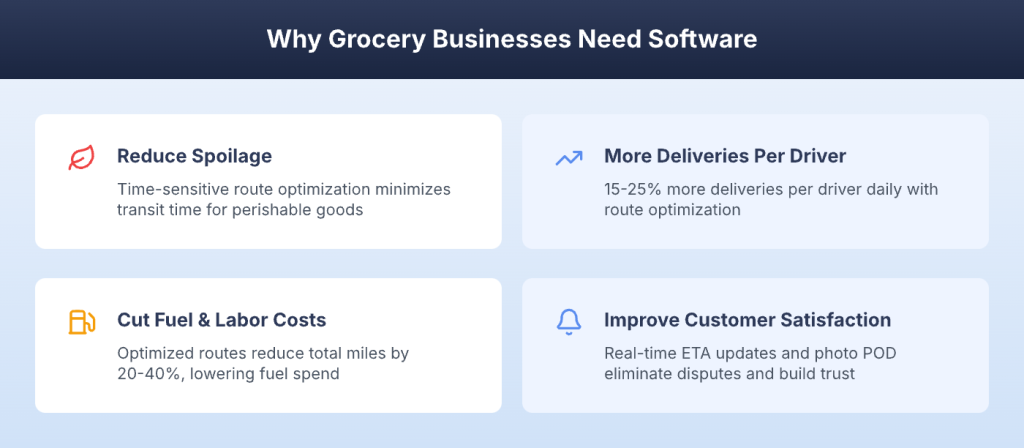
Investing in grocery delivery software is not just an operational upgrade. It is a direct path to lower costs, less spoilage, and higher customer retention. Here are four key benefits that make the investment worthwhile for grocery delivery fleets of any size.
Reduce Spoilage With Time-Sensitive Route Optimization
Perishable goods have a narrow delivery window before quality degrades. Every extra minute in transit increases the risk of spoilage, especially for dairy, produce, and frozen items. Route optimization built for grocery delivery prioritizes time-sensitive orders, sequences stops to minimize total transit time, and ensures cold chain items reach customers within safe freshness windows. The result is fewer rejected deliveries and lower write-offs on spoiled inventory.
Complete More Deliveries Per Driver Per Shift
Route optimization increases stop density and reduces drive time between deliveries. Grocery delivery fleets using optimized routing report 15-25% more deliveries per driver daily (Industry benchmark).
That means your existing team handles more orders without adding headcount. For a grocery business running 10 drivers, that could mean 15 to 25 additional completed deliveries every day with the same fleet.
Cut Fuel and Labor Costs Across Your Fleet
Fuel accounts for 20-30% of grocery delivery costs (Supply Chain 24/7). Optimized routes reduce total miles driven by 20-40%, directly lowering fuel spend and vehicle wear. When drivers spend less time on the road per delivery, labor costs per order drop as well. For grocery operations where margins are already thin, these savings go straight to the bottom line.
Improve Customer Satisfaction With Real-Time Updates
Automated notifications with accurate ETAs reduce “where is my order” calls and set clear expectations for when groceries will arrive. Automated customer ETA notifications keep customers informed at every stage, from driver departure to arrival. Proof of delivery photos eliminate disputes over missing or damaged items, building the trust that drives repeat orders.
With these benefits established, the next step is understanding the specific features that make them possible.

See it in action
Cut Grocery Delivery Costs With Optimized Multi-Stop Routes
Upper's route optimization sequences stop to minimize drive time and keep perishable items within safe delivery windows. Fewer miles, less spoilage, lower costs.

Key Capabilities Every Grocery Delivery Software Should Have
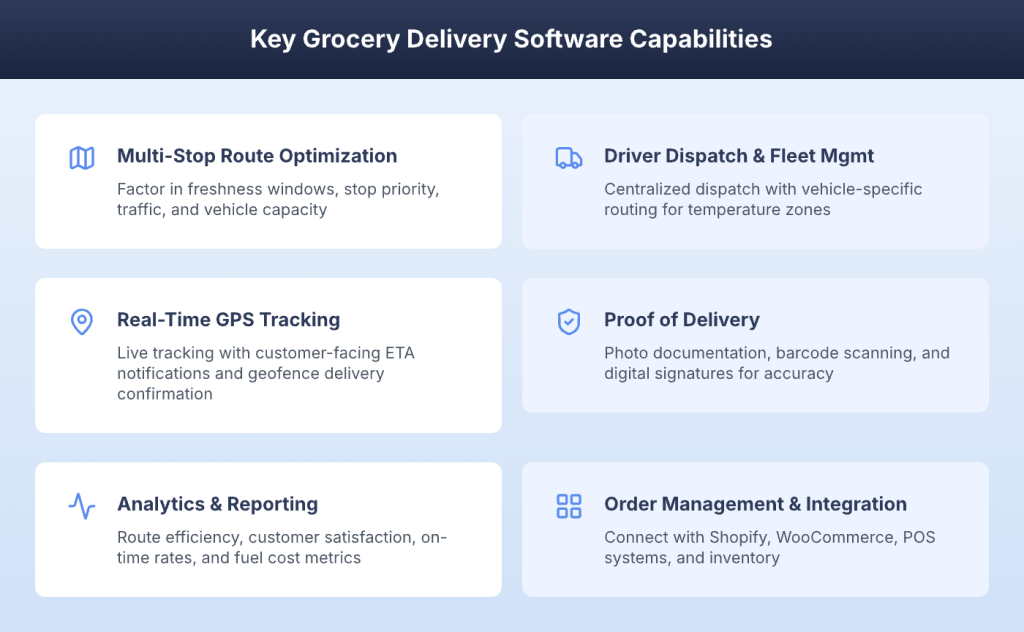
The difference between grocery delivery software that works and one that creates new problems comes down to six core capabilities. Each one addresses a specific operational challenge that grocery delivery fleets face daily, from perishable timing to fleet-wide visibility.
Multi-Stop Route Optimization for Perishable Goods
This is the core engine of any grocery delivery platform. Route optimization algorithms factor in freshness windows, stop priority, traffic patterns, and vehicle capacity to build routes that minimize drive time while keeping perishables within safe delivery windows.
For grocery operations, this means the software does not just find the shortest path. It finds the path that gets frozen items delivered first, dairy products within their window, and ambient goods routed efficiently around the time-sensitive stops.
Time Window Constraints for Delivery Slots
Grocery customers book specific delivery slots, and honoring those windows is non-negotiable for retention. Software must enforce hard time windows for priority orders while maintaining flexibility on the overall route sequence. This capability ensures a customer who booked a 9 a.m. to 11 a.m. slot gets their delivery within that window, even if it means slightly adjusting the order of surrounding stops.
Traffic-Aware Dynamic Routing
Real-time traffic data prevents delays that could compromise perishable quality. When road conditions change mid-route, dynamic re-routing adjusts the sequence to keep deliveries on time. For grocery fleets operating in metro areas during peak hours, this is the difference between on-time fresh deliveries and late arrivals with compromised products.
Driver Dispatch and Fleet Management
Centralized dispatch for grocery fleets eliminates the morning chaos of figuring out who drives which route. Driver dispatch management from a single dashboard lets operations managers assign optimized routes to drivers based on location, vehicle type, and capacity, then send those routes with one click.
Vehicle-Specific Routing for Temperature Zones
Some orders require refrigerated vehicles, while others can go in standard vans. Grocery delivery software should match orders to the right vehicle type and optimize routes per vehicle class. This prevents frozen items from being loaded onto a non-refrigerated truck and ensures each vehicle’s routes align with its capabilities.
Workload Balancing Across Drivers
Even distribution of stops and delivery windows prevents driver burnout and ensures consistent service quality. When one driver is overloaded with 40 stops while another has 15, customer experience suffers on the heavy routes. Workload balancing keeps delivery times consistent across your entire fleet.
Real-Time GPS Tracking and Visibility
Live tracking for fleet managers means knowing where every driver is, how routes are progressing, and flagging delays before they become customer complaints. For grocery delivery, real-time visibility is especially important because a delayed driver carrying perishable goods needs immediate attention, not a discovery at the end of the day.
Customer-Facing ETA Notifications
Automated SMS and email updates keep customers informed about when their groceries will arrive. This reduces inbound support volume and builds the kind of reliability that keeps customers ordering. Most grocery customers are at home waiting for a delivery, so accurate, timely notifications are a basic expectation.
Geofence-Based Delivery Confirmation
Geofencing confirms the driver arrived at the correct address. Combined with photo proof of delivery, this creates accountability at every stop and eliminates disputes about whether a delivery actually happened.
Proof of Delivery for Grocery Orders
Photo capture, digital signatures, and delivery notes are critical for grocery delivery, where items may be left at the door, require age verification for alcohol, or need temperature documentation. Proof of delivery apps create a complete digital record of every delivery.
Photo Documentation for Freshness Disputes
Photos at delivery prove item’s condition on arrival. When a customer claims the produce was damaged, you have timestamped photo evidence showing the exact condition at handoff. This reduces refund claims and builds customer confidence.
Barcode Scanning for Order Accuracy
Scanning items at pickup and delivery verifies correct orders reach the right customers. For grocery operations handling dozens of multi-item orders per route, barcode scanning eliminates wrong-item complaints that drive returns.
Analytics and Performance Reporting
Data-driven insights power continuous improvement across your grocery delivery operation. Tracking on-time delivery rates, average delivery time, fuel costs per route, driver performance, and spoilage rates helps you identify where routes are underperforming and where you are leaving money on the table.
Route Efficiency Metrics
Miles per delivery, time per stop, and capacity utilization reveal which routes need redesigning. When you can see that a specific route consistently runs 30% longer than similar routes, you have the data to fix it.
Customer Satisfaction Tracking
Delivery ratings, complaint trends, and repeat order rates connect operational metrics to customer outcomes. Tracking which routes generate the most complaints helps you pinpoint whether the issue is timing, freshness, or driver behavior.
Order Management and Integration
Grocery delivery software connects with e-commerce platforms like Shopify and WooCommerce, POS systems, and inventory management tools. This creates a workflow where orders flow from your online storefront to the delivery system without manual re-entry.
Spreadsheet and API Import Options
Bulk upload orders from CSV or Excel for businesses transitioning from manual systems. API access enables automated order flow from existing platforms, so new orders automatically appear in your delivery queue.
Inventory Sync for Real-Time Availability
Syncing delivery software with your inventory system prevents selling out-of-stock items. When a product sells out, the system updates in real time, so customers never order items you cannot deliver.
With these capabilities defined, the next step is evaluating which platforms deliver them best.
Top 5 Grocery Delivery Software Solutions Compared
Choosing the right grocery delivery software depends on your fleet size, delivery model, and operational priorities. Here is how five leading platforms compare across the features that matter most for grocery delivery operations. For a broader comparison, see our guide to the best delivery management software.
| Platform | G2 Score | Base Price | Best For |
| Upper | 4.8/5 | $40/user/month | Grocery fleets needing route optimization, dispatch, and proof of delivery |
| Routific | 4.8/5 | $150 for the first 1,000 orders | Scheduled grocery deliveries |
| Onfleet | 4.6/5 | $619/month for 2,500 tasks | High-volume grocery operations |
| Shipday | N/A | $30/month for 300 orders | Small grocery stores starting delivery operations |
| FarEye | 4.8/5 | Custom pricing | Enterprise grocery chains with complex logistics |
With the right platform identified, the next step is putting it into practice.
See it in action
Upper Combines Delivery Routing, Tracking, and PoD in One Platform
Upper combines the features grocery delivery fleets need most, without the complexity of enterprise tools or the limitations of basic apps.
How to Implement Grocery Delivery Software
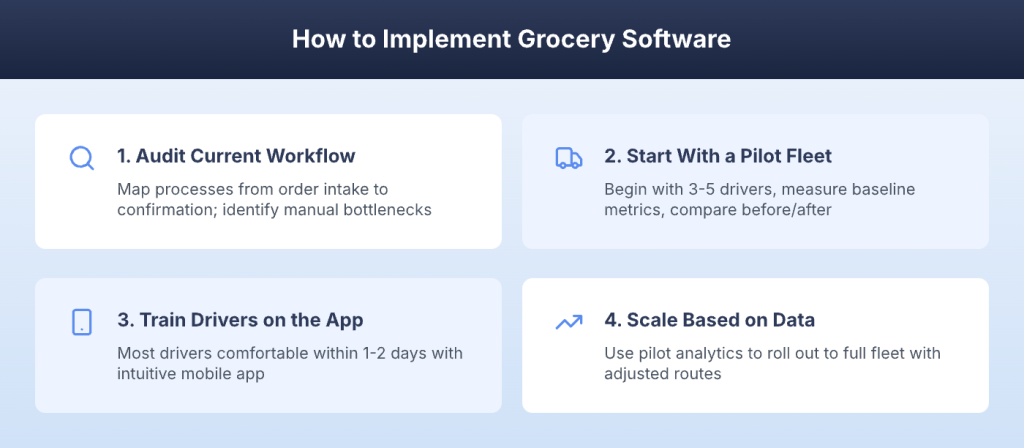
Getting started with grocery delivery software does not require a major IT project. Most teams are operational within one to two days. Here are four steps to a smooth implementation that minimizes disruption to your current delivery operations.
Audit Your Current Delivery Workflow
Map your existing processes from order intake through picking, routing, delivery, and confirmation. Identify the bottlenecks and manual steps that software should replace. If your team spends 90 minutes every morning planning routes in spreadsheets, that is your highest-value automation target.
Start With a Pilot Fleet
Begin with three to five drivers to test the system against real conditions. Measure baseline metrics, including delivery time, fuel costs, and on-time rate, before and after implementation. Use delivery route scheduling to set up pilot routes alongside your existing process.
Train Drivers on the Mobile App
Driver adoption makes or breaks the investment. Choose software with an intuitive mobile app that requires minimal training. Most drivers are comfortable within one to two days. Show them how to start a route, navigate to stops, and capture proof of delivery.
Scale Based on Data
Use analytics from the pilot to identify improvements, then roll out to the full fleet. Adjust routes, territories, and driver assignments based on performance data. The patterns you see in the pilot inform how you structure your full-fleet operation.
Once your grocery delivery software is running, you will encounter the same operational challenges every grocery fleet faces. Here is how to handle them.
Common Grocery Delivery Challenges and How to Overcome Them
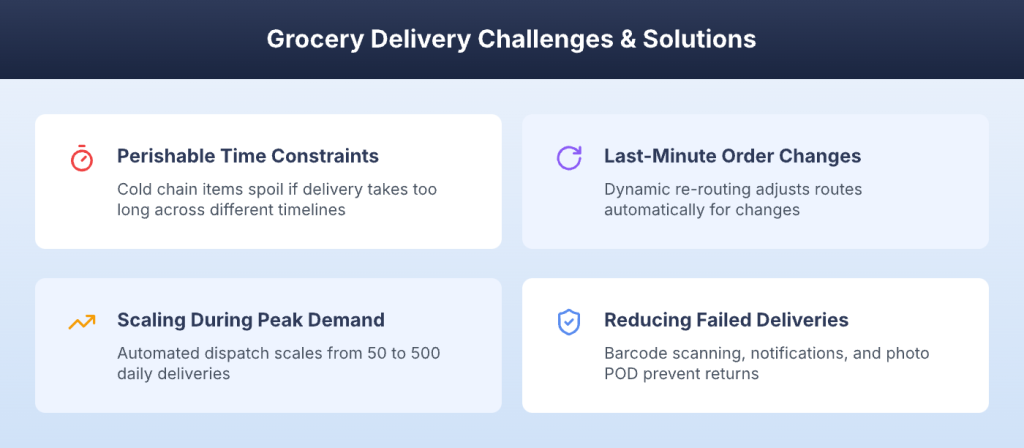
Every grocery delivery operation runs into obstacles that can erode margins and frustrate customers. Understanding these challenges upfront helps you build processes that prevent them rather than react to them.
Managing Perishable Time Constraints
Cold chain items spoil if delivery takes too long. Frozen goods, dairy, and fresh produce all have different but equally unforgiving timelines. When a route is not optimized for these constraints, spoilage rates climb, and refund requests follow.
Solution: A time-window-based grocery delivery route optimization software prioritizes perishable orders and uses shortest-path sequencing to minimize transit time. For businesses delivering perishable goods, this is the single most impactful capability.
Handling Last-Minute Order Changes
Customers add items, change addresses, or cancel after routes are already planned. Without flexible software, each change means manually re-planning routes that are already in progress, which wastes time and creates errors.
Solution: Dynamic re-routing and real-time dispatch updates adjust routes without disrupting the full schedule. The software recalculates the most efficient sequence for remaining stops automatically, so dispatchers handle changes in seconds rather than minutes.
Scaling During Peak Demand Periods
Holiday seasons, weekends, and promotional events spike order volume. Without automation, these surges overwhelm manual planning processes and lead to delayed deliveries, driver burnout, and customer complaints.
Solution: Automated dispatch, workload balancing, and capacity optimization handle volume surges without adding drivers. Software that scales from 50 to 500 daily deliveries with the same dispatcher means you do not need to hire extra operations staff every time demand increases.
Reducing Failed Deliveries and Returns
Wrong items, missed deliveries, and damaged goods drive returns that eat into margins. For grocery delivery, a failed delivery also means wasted perishable inventory that cannot be reshelved.
Solution: Barcode scanning for order accuracy verifies the right items go to the right customer. Customer notifications ensure someone is available to receive the delivery. Photo proof of delivery documents item condition at handoff, creating accountability that reduces disputes and returns. With Upper, drivers capture photos, signatures, and notes at every stop through proof of delivery software built directly into the driver app.
Knowing the challenges and solutions is important, but choosing the right platform for your specific operation requires a clear evaluation framework.
See it in action
Solve Perishable Delivery Timing With Time-Window Routing
Upper's time-window constraints ensure perishable orders get priority sequencing, reducing spoilage risk across every route.
How to Choose the Right Grocery Delivery Software
Selecting grocery delivery software is a decision that affects your daily operations for years. Here are four evaluation criteria that help you avoid choosing the wrong platform.
Match Features to Your Delivery Model
Scheduled, on-demand, and hybrid delivery models require different feature sets. If you run scheduled delivery windows, you need strong time-window routing. If you handle on-demand orders, dynamic dispatch, and real-time optimization are priorities.
Evaluate Scalability and Pricing
Pricing models vary across providers. Some charge per driver, others per delivery, and some offer flat monthly rates. Choose software that scales with your fleet without cost spikes as you grow from 5 to 25 drivers.
Prioritize Integration Capabilities
Your grocery delivery software needs to connect with your existing tech stack. E-commerce platforms, POS systems, inventory management, and accounting tools all need to share data. API availability and pre-built integrations are key differentiators.
Test With a Free Trial or Pilot
Most reputable platforms offer free trials. Use the trial period to test with real orders and real drivers before committing. Run your actual delivery scenarios and measure whether the software handles your specific constraints.
Turn Your Grocery Delivery Fleet Into a Competitive Advantage
Grocery delivery is growing fast, and the businesses that invest in the right software will capture market share while keeping costs under control. The difference between profitable and unprofitable grocery delivery comes down to route efficiency, perishable timing, and customer communication.
Upper Route Planner solves the hardest parts of grocery delivery operations. Route optimization with time-window constraints ensures perishables arrive fresh. Centralized dispatch gets routes to drivers in seconds. Real-time GPS tracking gives managers visibility into every delivery. Automated customer notifications eliminate “where is my order” calls before they happen.
Upper handles multi-stop route optimization for perishable goods, driver dispatch and fleet management, proof of delivery with photo capture, and analytics that track on-time rates and route efficiency. Whether you are running five delivery vehicles or 50, Upper scales with your grocery operation without adding operational complexity.
Book a demo to see how Upper can optimize your grocery delivery routes, reduce spoilage, and get your drivers on the road faster.
FAQs on Grocery Delivery Software
Pricing varies by provider and fleet size. Starter plans typically range from $35 to $60 per vehicle per month. Enterprise solutions offer custom pricing based on order volume, number of drivers, and feature requirements. Most platforms offer free trials so you can test before committing.
Essential features include multi-stop route optimization with time windows, real-time GPS tracking, driver dispatch management, proof of delivery with photo and signature capture, customer notifications with accurate ETAs, spreadsheet import for bulk orders, and analytics for tracking delivery performance and costs.
Most grocery delivery platforms integrate with e-commerce systems like Shopify and WooCommerce, as well as POS and inventory management tools. API access enables custom integrations with your existing tech stack, allowing orders to flow automatically from your storefront into the delivery system.
Most teams are operational within one to two days. Setup typically involves uploading your delivery addresses, inviting drivers to the mobile app, and configuring your delivery time windows. No complex IT integration is required for basic setup, though API integrations with existing systems may take additional time.