
Delivery businesses without proper documentation lose revenue to chargebacks, false “not received” claims, and unnecessary re-deliveries every week. As per Chargeflow, the global chargeback volume is predicted to reach 324 million transactions in 2028. These numbers are expected to add up fast when you are handling hundreds of stops per day.
The problem gets worse with paper-based proof of delivery. Paper receipts get lost in the cab, signatures become illegible, and there is always a lag between the delivery and when documentation reaches the office for invoicing. As delivery volume scales, manual documentation becomes unsustainable.
That is why operations teams are turning to electronic proof of delivery to protect revenue, speed up billing cycles, and create auditable records for every stop. This guide covers what electronic proof of delivery is, why it matters for your bottom line, and a step-by-step framework for implementing ePOD across your delivery operation.
Table of Contents
- What Is Electronic Proof of Delivery
- Benefits of Collecting Electronic Proof of Delivery
- How to Collect Electronic Proof of Delivery: A Step-by-Step Framework
- Common Challenges When Collecting Electronic Proof of Delivery
- Best Practices for Electronic Proof of Delivery Collection
- Capture Electronic Proof of Delivery With Upper
- Frequently Asked Questions
What Is Electronic Proof of Delivery
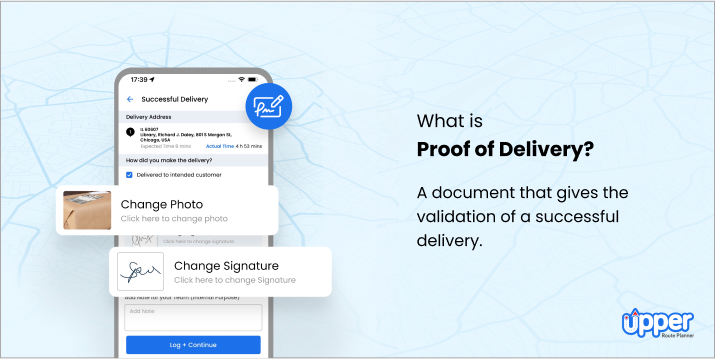
Electronic proof of delivery (ePOD) is a digital system that replaces paper delivery receipts with mobile-captured records including signatures, photos, GPS coordinates, timestamps, and notes. Unlike traditional paper-based Proof of Delivery (POD), where drivers carry clipboards and carbon-copy forms, ePOD captures everything digitally on a smartphone or tablet and syncs it to a central dashboard in real time.
How It Works
The ePOD capture process follows a straightforward workflow at each delivery stop:
- The driver arrives at the delivery location. The mobile app recognizes the stop from the optimized route and opens the POD capture screen.
- App triggers configurable proof requirements. Depending on the delivery type, the system prompts the driver to collect specific proof elements: an electronic signature, a photo of the delivered goods, a barcode scan, or delivery notes.
- The driver captures the required proof. This takes 30 to 60 seconds per stop with a well-designed app. Photos, signatures, and notes are all collected within the same interface.
- GPS coordinates and timestamp are attached automatically. The app records the exact location and time of capture without any additional driver input, creating geotagged proof of delivery for every stop.
- Data syncs to the central dashboard in real time. Operations managers can review POD records as deliveries happen, not hours later when paperwork arrives at the office.
Modern ePOD systems are configurable, meaning businesses choose which proof elements to require per delivery type. Most work offline with auto-sync when connectivity returns, and they integrate directly with route optimization and dispatch workflows so drivers never leave the app they already use for navigation.
Now that the mechanics are clear, the next step is understanding why ePOD matters for your bottom line.
Benefits of Collecting Electronic Proof of Delivery
Electronic proof of delivery does more than digitize a paper receipt. It creates a verified, searchable record of every delivery that protects revenue, accelerates cash flow, and reduces operational friction across the entire delivery chain.
Eliminates Delivery Disputes and Chargebacks
When a customer claims they never received a package, photo proof combined with an electronic signature and GPS coordinates creates irrefutable evidence. Businesses using digital proof of delivery report up to a 25% reduction in delivery disputes. That translates directly to fewer chargebacks, fewer re-deliveries, and less time spent on delivery not received disputes.
Speeds Up Invoicing and Cash Flow
Paper POD creates a billing bottleneck. Drivers finish their routes, return to the office, hand in paperwork, and someone manually processes it before an invoice goes out. With digital POD, delivery confirmation triggers immediately.
The moment a driver captures proof at the final stop, operations teams have complete records to invoice the same day, reducing days sales outstanding and closing the paper-to-billing lag.
Reduces Administrative Overhead
No more scanning paper forms, filing folders, or digging through cabinets to find a delivery record from three weeks ago. Centralized digital records with search and filter capabilities save operations teams hours per week on documentation tasks. Every POD record is indexed, searchable, and exportable, turning what used to be a manual filing process into a two-click lookup.
Improves Customer Satisfaction and Trust
Customers receive delivery confirmation with photo proof of delivery in real time. Instead of wondering whether their package arrived, they get a timestamped photo showing the item at their door. This professional delivery experience builds repeat business and referrals, especially for contactless and leave-at-door deliveries where the customer may not be present at handoff.
With the ROI clear, the question becomes how to implement ePOD effectively. The following framework walks through each step.

See it in action
Reduce Delivery Disputes by 25% With Digital POD
Upper captures photo proof, electronic signatures, and GPS timestamps at every stop, giving you irrefutable delivery records.

How to Collect Electronic Proof of Delivery: A Step-by-Step Framework
Implementing electronic proof of delivery across your fleet requires more than downloading an app. A structured rollout ensures drivers adopt the system, data quality stays high, and the POD records you collect actually hold up when disputes arise.
Step 1: Define What Proof You Need to Capture
Not every business needs the same POD data. The right combination depends on your delivery type, industry regulations, and the kinds of disputes you face most often. Start by mapping your proof requirements to your delivery scenarios.
Signature Capture
Electronic signatures matter most for high-value deliveries, regulated industries like pharmacy and medical supply delivery, and B2B deliveries where the recipient must formally acknowledge receipt. A digital signature tied to a GPS location and timestamp creates a legally defensible record that paper signatures cannot match.
Photo Documentation
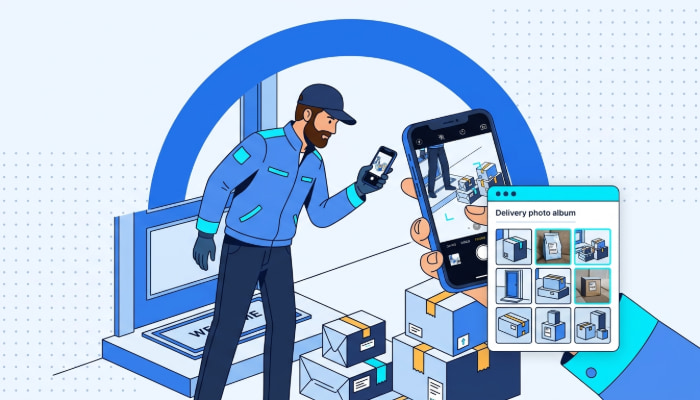
Photo proof is essential for contactless deliveries, leave-at-door scenarios, and damage-sensitive goods like furniture or appliances. The key is specificity: require photos that show the item at the delivery location with a visible address or landmark, not just a generic doorstep shot. For operations that need layered visual documentation, multi-photo proof of delivery captures multiple angles per stop.
Barcode and Package Scanning
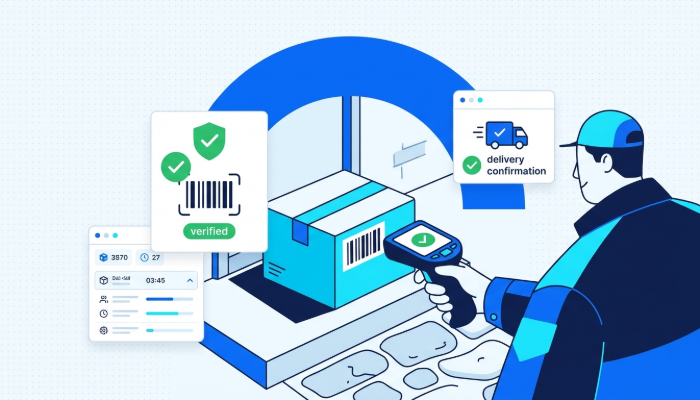
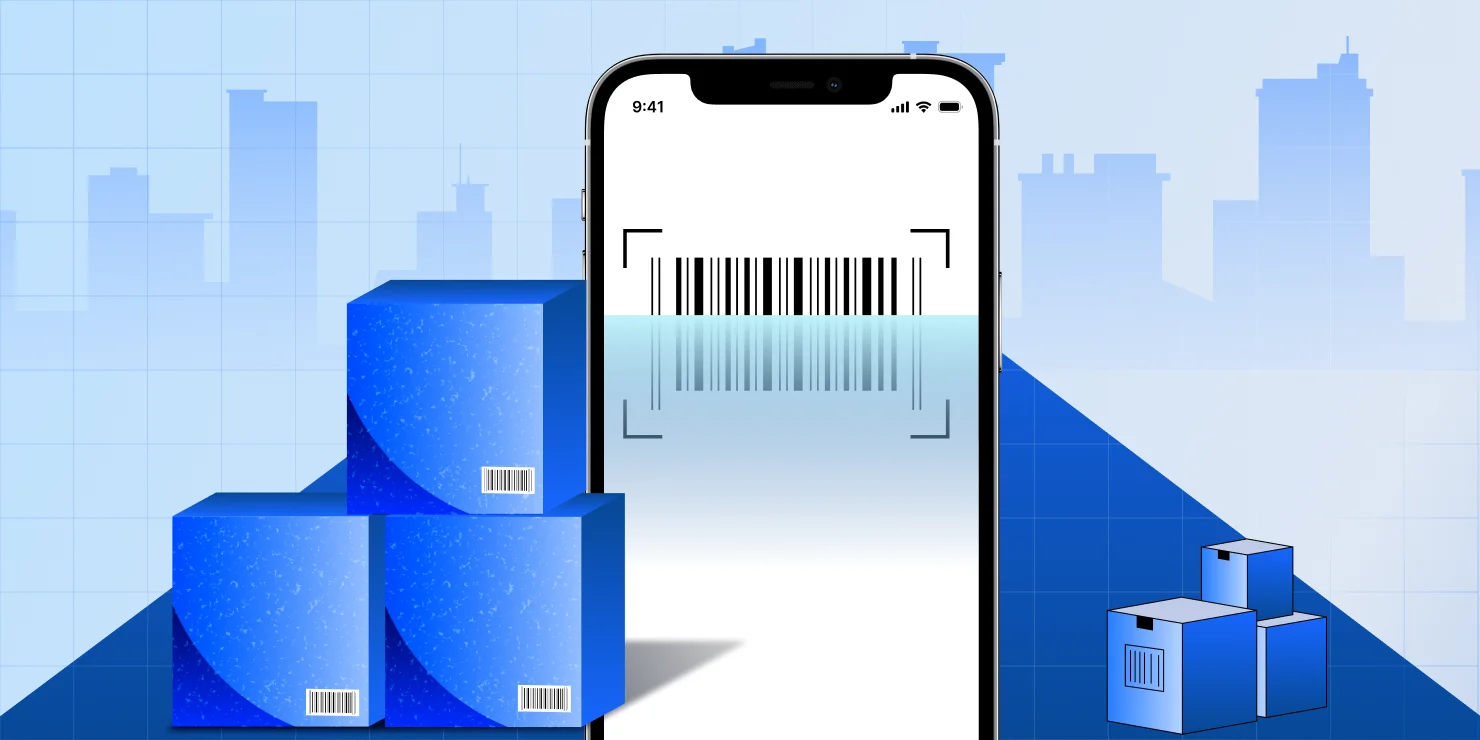
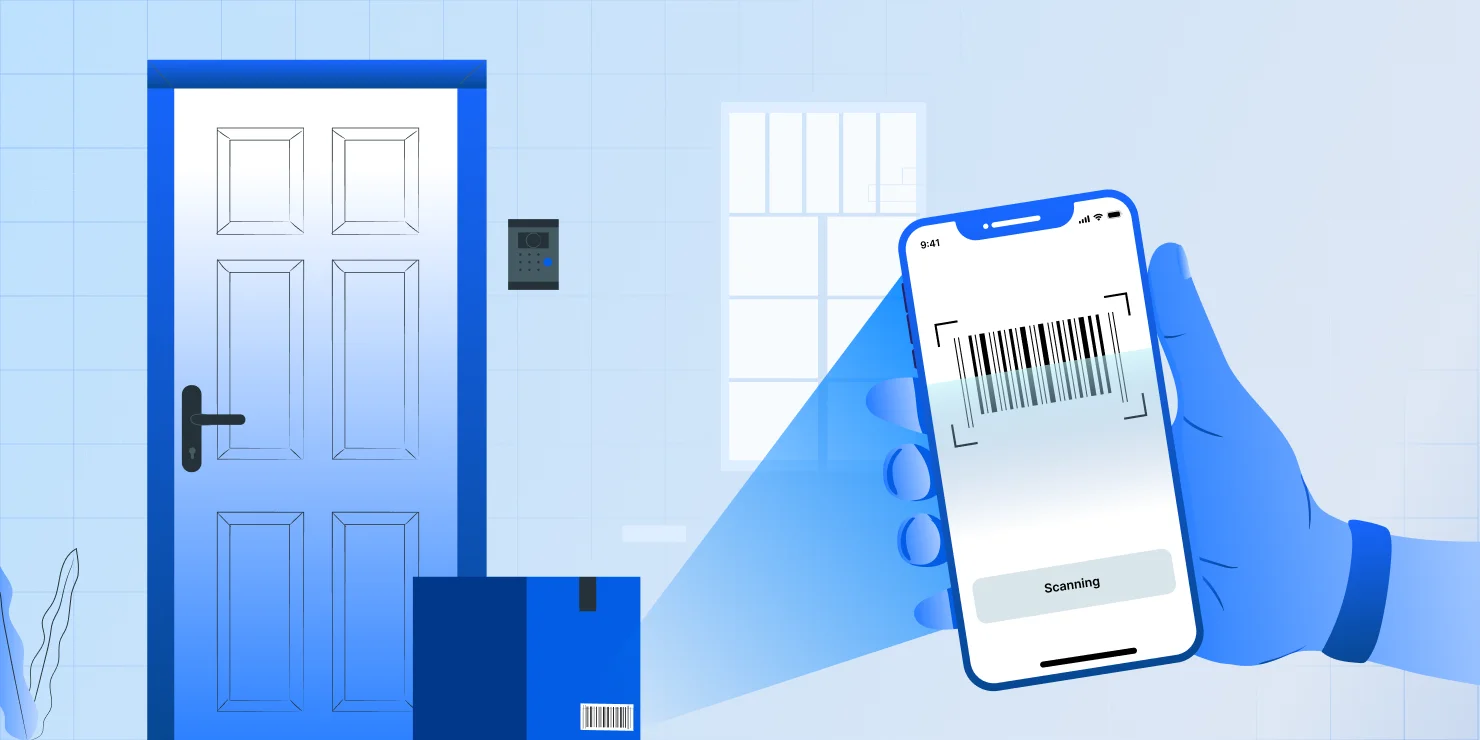
Multi-package deliveries, courier operations, and chain-of-custody workflows benefit from barcode scanning for delivery proof. Scanning each package at pickup and delivery eliminates wrong-package-at-wrong-address errors and creates an automated audit trail. For courier businesses handling dozens of packages per route, this is non-negotiable.
GPS Coordinates and Timestamps
GPS data and timestamps are automatically captured by most ePOD apps and should be considered non-negotiable for any delivery operation. They create geotagged proof that the driver was at the correct location at the documented time. This data is the backbone of dispute resolution, providing objective evidence that cannot be fabricated.
Step 2: Choose the Right ePOD Tool for Your Fleet
The ePOD tool you choose will determine adoption rates, data quality, and long-term ROI. Evaluate solutions against these criteria:
- Cross-platform compatibility. The app must work on both iOS and Android since you cannot control what devices your drivers use.
- Offline capability with auto-sync. Drivers deliver to rural areas, underground parking garages, and buildings with poor cell coverage. Data should be cached locally and sync automatically when the device reconnects.
- Integration with route planning and dispatch. Standalone POD apps create data silos. Choose a platform that connects proof of delivery with route optimization, dispatch, and customer notifications. Look at proof of delivery apps that combine POD capture with routing in a single tool.
- Configurable proof requirements. You need the ability to set mandatory vs. optional fields per stop type or delivery category.
- Real-time dashboard access. Operations managers should see POD records as they come in, not at the end of the shift.
- Data export and reporting. POD data needs to flow into your billing system, compliance records, and performance analytics.
Step 3: Configure POD Requirements by Delivery Type
Different delivery scenarios demand different proof standards. Set up your ePOD system with rules that match the risk and value of each delivery type:
- Standard residential delivery: Photo plus GPS (contactless default). This covers the majority of stops and keeps capture time under 30 seconds.
- High-value or B2B delivery: Signature plus photo plus GPS. The recipient’s signature adds a layer of accountability for expensive items or business shipments.
- Regulated delivery (pharmacy, cannabis, medical supply): Signature plus delivery barcode scanner verification, plus photo, plus GPS, plus ID verification notes. Compliance requires a complete chain of custody.
- Field service completion: Photo of completed work, plus signature, plus service notes. This applies to HVAC, plumbing, pest control, and other on-site service operations.
Step 4: Train Drivers and Set Quality Standards
Driver adoption is the biggest real-world challenge in any ePOD implementation. The technology is only as good as the data drivers capture. Keep training short, practical, and focused on what is in it for them.
Run a 15 to 20-minute hands-on training session, not a manual reading. Show drivers how ePOD protects them from false complaints. When a customer claims damage or non-delivery, the driver’s photo and GPS record are their defense. That framing turns POD capture from extra work into personal protection.
Set clear quality standards: photos must show the item and a visible address number or landmark, signatures must be captured on-screen (not air-signed), and delivery notes must include any relevant details like where the package was left. Build POD completion rates into driver performance metrics so there is accountability and visibility into who is consistently capturing quality records.
Step 5: Monitor, Audit, and Improve POD Quality
Launching ePOD is not a set-and-forget process. Ongoing quality management separates teams that get ROI from those that collect incomplete data.
Review POD submissions daily during the first two weeks, then shift to weekly audits. Flag stops with missing proof elements and identifies patterns. Are certain drivers consistently skipping photo capture? Are signatures being rushed? Use your analytics dashboard to track POD completion rates by driver, route, and delivery type.
When you spot quality gaps, address them with targeted coaching rather than blanket retraining. One-on-one feedback is faster and more effective than group sessions for correcting specific behaviors.
Step 6: Use POD Data for Dispute Resolution and Analytics
The data you collect is only valuable if you use it. Close the loop by building ePOD into your daily operations workflows.
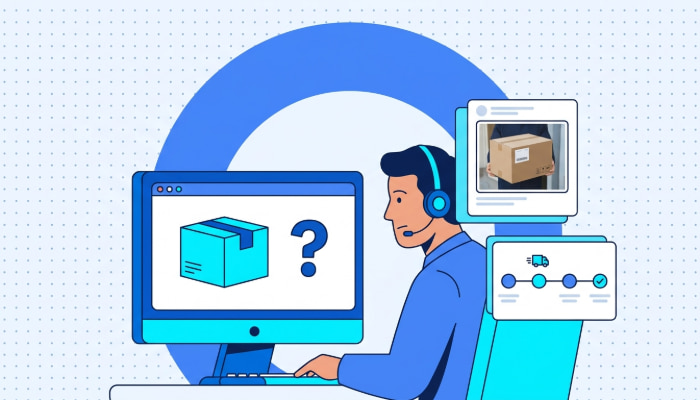
Dispute resolution. When a customer calls claiming they did not receive their delivery, pull up the photo, signature, GPS coordinates, and timestamp in seconds. This turns a 15-minute investigation into a 30-second lookup.
Delivery performance analytics. Aggregate POD data to track on-time delivery rates, first-attempt success rates, and completion rates by driver and route. These metrics reveal operational patterns that surface only when you have complete delivery documentation.
Customer communication. Share POD confirmation with recipients automatically. An email or SMS with a delivery photo and timestamp closes the loop for the customer and preempts “where is my delivery” calls.
Compliance documentation. For regulated industries, maintain audit trails that satisfy inspection requirements. Complete POD records with GPS, timestamps, and recipient signatures create a compliance-ready archive.
Even with a solid framework, teams encounter common obstacles during ePOD rollout. Knowing these challenges upfront helps you plan around them.
See it in action
Route Optimization and POD Capture in One App
Upper combines multi-stop route optimization with built-in proof of delivery so drivers never switch between tools.
Common Challenges When Collecting Electronic Proof of Delivery
No ePOD implementation is frictionless. Understanding the most common obstacles helps delivery teams plan proactively and avoid the mistakes that stall adoption.
Driver Resistance to New Technology
Some drivers view POD capture as extra work that slows them down, especially those who have used paper or no documentation for years. Counter this by demonstrating how ePOD actually protects them from false complaints and simplifies their workflow. Choose tools with intuitive, minimal-tap interfaces that add no more than 30 to 60 seconds per stop.
Connectivity Issues in Rural or Underground Areas
Drivers deliver to locations with poor cell coverage, including rural roads, basement loading docks, and parking structures. Offline-capable ePOD apps are essential. The app should cache all captured data locally on the device and sync automatically when connectivity returns. GPS coordinates still capture accurately on most modern devices, even in low-signal areas.
Inconsistent Photo and Signature Quality
Without clear guidelines, drivers take blurry photos, photograph the wrong angle, or rush through signature capture. Set specific standards from day one: photos must show the delivered item and a recognizable location marker, and signatures must be collected on the device screen. Use ePOD tools that enforce mandatory fields before a stop can be marked as delivered.
Integration Gaps With Existing Systems
Standalone ePOD apps that do not connect with your route planning, dispatch, or billing systems create data silos. POD records sit in one tool while route data lives in another, making it difficult to correlate delivery performance with proof quality. Choose platforms that integrate POD capture with route optimization, dispatch, tracking, and customer notifications in a single system to consolidate routing, photos, signatures, and notes.
Most of these challenges are solvable with the right tool selection and training approach. The following best practices will help you maintain high-quality POD collection at scale.
Best Practices for Electronic Proof of Delivery Collection
Collecting electronic proof of delivery is only valuable if the data is consistent, complete, and accessible when you need it. These best practices help delivery teams maintain high POD quality across every route and every driver.
Make POD Capture Mandatory Before Stop Completion
Configure your system so drivers cannot mark a stop as delivered without submitting the required proof elements. This eliminates skipped or incomplete POD records and ensures you have documentation for every delivery. When proof capture is optional, completion rates drop below 80% within weeks. When it is mandatory, you maintain near-100% coverage.
Use Multi-Layer Proof for High-Value Deliveries
Combine signature, photo, plus barcode scan for packages above a defined value threshold. Redundant documentation creates multiple evidence points that hold up in any dispute, whether it is a chargeback, an insurance claim, or a customer complaint. The extra 20 seconds of capture time is worth it when a single dispute can cost hundreds of dollars.
Automate POD Confirmation to Customers
Send automated delivery notifications with photo and signature capture proof to recipients immediately after delivery. Customers receive a timestamped photo showing their package at their door, which reduces inbound “where is my delivery” calls and builds trust. This is especially effective for contactless deliveries where the customer was not present.
Review POD Analytics Weekly
Track POD completion rates, photo quality patterns, and dispute resolution times on a weekly cadence. Use this data to coach underperforming drivers, refine capture requirements, and identify delivery scenarios that need stronger proof standards. Teams that review POD data weekly resolve disputes 40% faster than those that only check records reactively.
With the right practices in place, electronic proof of delivery becomes a core part of your delivery operations rather than an afterthought.
See it in action
Get Drivers Capturing POD in Under 15 Minutes
Upper's driver app is designed for speed. Drivers tap, snap, sign, and move to the next stop without workflow interruptions.
Capture Electronic Proof of Delivery With Upper
Collecting electronic proof of delivery protects your revenue, eliminates disputes, speeds up invoicing, and gives operations teams complete visibility into every delivery. The businesses that get the most value from ePOD are those that integrate proof capture into a connected delivery workflow rather than treating it as a standalone add-on.
Upper‘s Proof of Delivery feature captures digital signatures, photos, and delivery notes directly in the driver’s mobile app at every stop. GPS coordinates and timestamps attach automatically, creating a geotagged, time-stamped record that holds up in any dispute. Drivers capture proof in the same app they use for route navigation and stop management, so there is no switching between tools and no extra training burden.
Beyond POD, Upper connects proof of delivery to route optimization, driver dispatch, real-time GPS tracking, and automated customer notifications in a single platform. Operations managers access all POD records from a centralized dashboard with search, filter, and export capabilities. Barcode scanning, multi-photo capture, and configurable proof requirements per delivery type give you the flexibility to match your POD standards to your business needs.
Book a demo to see how Upper’s electronic proof of delivery capture works for your specific delivery operation.
Frequently Asked Questions
Electronic proof of delivery includes any digitally captured confirmation of a completed delivery. This typically covers electronic signatures, photos, GPS coordinates, timestamps, barcode scans, and delivery notes collected via a mobile app at the point of delivery. The combination of multiple proof elements creates a comprehensive record that is searchable, shareable, and legally defensible.
Yes, photo proof is widely accepted as valid proof of delivery, especially for contactless and leave-at-door deliveries. For the strongest legal standing, combine photo proof with GPS coordinates and a timestamp. This layered approach creates geotagged evidence that documents what was delivered, where it was left, and exactly when the delivery occurred.
Best practice is yes. Requiring POD at every stop creates a complete audit trail and protects against disputes regardless of delivery value. Most ePOD systems allow you to configure which proof elements are mandatory per delivery type, so low-risk stops can require just a photo while high-value deliveries demand signatures and barcode scans.
The terms are used interchangeably in the delivery industry. Both refer to digitally captured delivery confirmation, including signatures, photos, and GPS data, collected via mobile devices rather than paper documents. There is no technical or legal distinction between “electronic” and “digital” when describing POD systems.
Electronic proof of delivery creates timestamped, geotagged records with photos and signatures that provide irrefutable evidence a delivery was completed correctly. When a customer claims non-delivery, you pull up the GPS coordinates, time, photo, and signature in seconds. Businesses using digital POD report up to 25% fewer delivery disputes compared to paper-based documentation.
Yes, most modern ePOD apps work offline. The app caches all captured data locally on the driver’s device, including photos, signatures, GPS coordinates, and notes. When the device reconnects to the internet, everything syncs automatically to the central dashboard. This ensures POD collection is uninterrupted even in areas with poor cell coverage.
Any industry that delivers goods or completes on-site services benefits from ePOD. Courier and package delivery, food and grocery delivery, pharmacy and medical supply delivery, furniture and appliance delivery, and field service operations like HVAC, plumbing, and pest control all see significant ROI from digital proof of delivery. Regulated industries like pharmacy and cannabis delivery benefit especially because ePOD creates the compliance-ready audit trails they require.